

What Is M Health Fairview MyChart? Expert Guide to Your Digital Health Portal
If you’re a patient within the M Health Fairview system, you’ve probably heard about MyChart—but what exactly is it, and how can it transform the way you manage your healthcare? Think of it as your personal command center for all things medical. No more playing phone tag with your doctor’s office or digging through stacks of paper records. M Health Fairview MyChart is a secure, online patient portal that puts your health information directly in your hands, accessible 24/7 from any device with an internet connection.
The healthcare landscape has shifted dramatically over the past decade, and patient engagement tools have become essential to modern medical care. M Health Fairview, one of Minnesota’s largest healthcare systems, recognized this need and invested in creating a comprehensive digital platform that empowers patients to take an active role in their health management. Whether you’re scheduling appointments, reviewing test results, or communicating with your care team, MyChart streamlines the entire process in ways that feel genuinely convenient rather than just theoretically helpful.
This guide breaks down everything you need to know about M Health Fairview MyChart—from the basics of getting started to advanced features that might surprise you. We’ll explore how this portal works, what benefits it offers, and how it compares to similar platforms at other healthcare organizations.
What Exactly Is M Health Fairview MyChart?
M Health Fairview MyChart is a patient portal—essentially a secure website and mobile application that connects you directly to your healthcare records and your medical team. It’s built on Epic’s MyChart platform, which is used by thousands of healthcare organizations across North America. What makes MyChart special isn’t just the technology behind it; it’s the philosophy that drives it: giving patients transparency and control over their health information.
At its core, MyChart functions as a digital bridge between you and the M Health Fairview healthcare system. Instead of waiting for a phone call or scheduling an office visit just to get information, you can access most of what you need instantly. Your lab results appear in the portal sometimes before your doctor even calls to discuss them. You can see your medication list, upcoming appointments, and vaccination records all in one place. It’s healthcare information democratized—no gatekeeping, no unnecessary delays.
The platform serves multiple purposes simultaneously. For some patients, it’s primarily a way to check lab results and schedule appointments. For others managing chronic conditions, it becomes an essential tool for tracking their health over time and communicating with specialists. M Health Fairview has invested significantly in making sure the platform is intuitive enough for patients in their 80s while still offering sophisticated features for tech-savvy users who want to dive deeper into their health data.
Getting Started: Registration and Access
Before you can access M Health Fairview MyChart, you need to create an account—but the process is straightforward and takes just a few minutes. You’ll need some basic information: your date of birth, a valid email address, and ideally a recent visit to an M Health Fairview facility. The system uses this information to verify your identity and ensure that you’re actually a patient within the system.
There are two primary ways to register. First, you can visit the M Health Fairview website directly and look for the MyChart login portal. You’ll select “New user?” and follow the registration prompts. The system will ask you to verify your identity using information from your medical records—typically your date of birth and a recent appointment or procedure. Second, if you receive a paper invitation or email from M Health Fairview, that communication often contains a direct registration link that streamlines the process even further.
Once registered, accessing MyChart is simple: log in through the website or download the mobile app for iOS or Android. The mobile experience has been refined considerably over recent years, and many patients find the app more convenient than the web version for quick checks on test results or appointment times. Two-factor authentication adds an extra layer of security, requiring you to verify your identity through your email or phone whenever you log in from a new device.
The initial setup takes about 5-10 minutes, and then you’re ready to explore. The dashboard greets you with a personalized overview of your upcoming appointments, recent test results, and any messages from your care team. It’s designed to be immediately useful rather than overwhelming—you see what’s most relevant to you right now, with options to dig deeper if you want more information.

Key Features You Should Know About
M Health Fairview MyChart isn’t just a repository for your medical information—it’s an interactive tool designed to support better health outcomes. Let’s walk through the features that make it genuinely valuable.
Real-Time Appointment Scheduling: You can view available appointment slots for various providers and book directly through the portal. This eliminates the back-and-forth of calling the office, waiting on hold, and trying to find a time that works. You can filter by provider, location, and appointment type. Cancellations and rescheduling happen through the same interface, and you’ll receive automatic reminders before your appointments.
Instant Lab and Test Results: One of MyChart’s most appreciated features is the ability to view your lab results as soon as they’re processed—sometimes even before your doctor calls to discuss them. You’ll see your results with reference ranges, so you can understand whether a value is normal or abnormal. For complex results, your provider often includes an explanation or context.
Medication Management: Your complete medication list lives in MyChart, including dosages, frequencies, and prescribers. You can request refills directly through the portal, and the system communicates with your pharmacy. Most refill requests are processed within 24-48 hours, though urgent situations may require a phone call to your provider.
Immunization Records: Your vaccination history is documented and accessible. This proves particularly helpful when you need proof of vaccination for travel, employment, or school requirements. You can print or share these records directly from the portal.
Visit Summaries: After appointments, your provider uploads a summary of what was discussed, any diagnoses, treatment plans, and follow-up instructions. These summaries are invaluable for understanding your care and ensuring you’re following the recommended plan.
Appointment Management Made Simple
Scheduling medical appointments ranks among life’s more frustrating experiences—at least it did before patient portals. M Health Fairview MyChart has genuinely simplified this process in ways that feel almost revolutionary if you’ve spent years playing phone tag with medical offices.
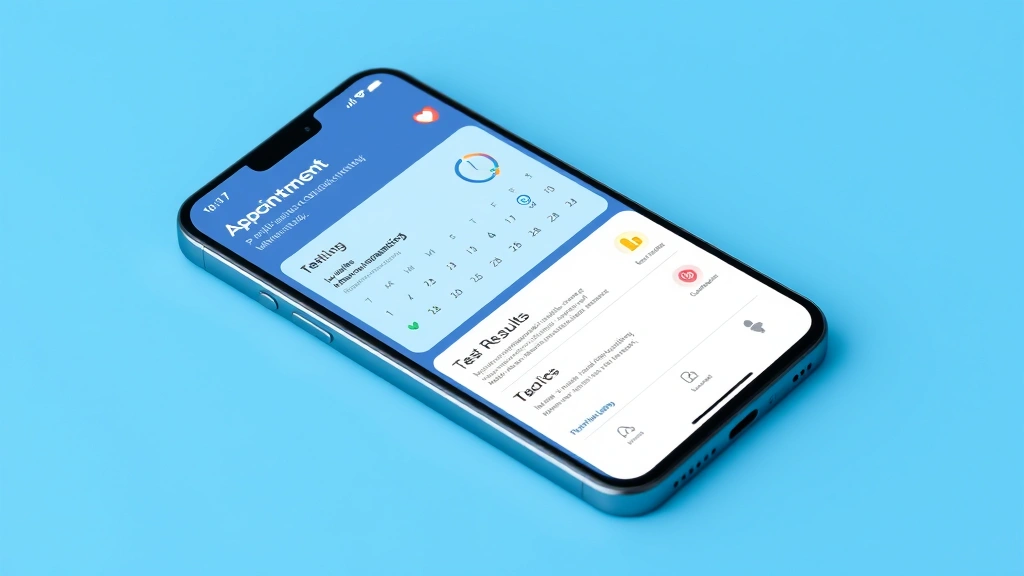
The appointment scheduling feature lets you see real-time availability across M Health Fairview locations. You’re not choosing from three vague time slots; you’re viewing actual open appointments. You can filter by appointment type (annual physical, follow-up visit, specific procedure), location, and provider preference. The system shows you wait times and drive times from your location, helping you make informed decisions about which appointment slot makes sense.
Once you’ve selected an appointment, you receive an immediate confirmation with the details. A reminder arrives via email or text a few days before your appointment, and another reminder appears when you log into MyChart. You can reschedule or cancel directly through the portal if your plans change, which notifies your provider’s office instantly rather than requiring a phone call.
For ongoing healthcare needs, this feature becomes genuinely transformative. Managing chronic conditions often requires regular follow-up appointments, and MyChart makes it simple to schedule the next visit before you even leave the current one. Your provider might recommend a follow-up in three months, and you can book it immediately rather than promising to call later and then forgetting.
Accessing Your Complete Medical Records
Your medical records represent one of your most valuable health assets, yet historically they’ve been locked away in filing cabinets or scattered across multiple healthcare systems. M Health Fairview MyChart consolidates your records into one accessible location—at least for all your care within the M Health Fairview system.
You can view your complete medical history, including past visits, procedures, diagnoses, and treatments. This comprehensive view proves invaluable when you’re seeing a specialist or moving to a new provider. Rather than trying to remember details from appointments months or years ago, you have everything documented and searchable. Many patients print or download their complete medical records before switching providers or moving to a new city, ensuring continuity of care.
The records are organized chronologically and by category, so you can easily navigate to relevant information. You can search for specific conditions, medications, or dates. This organizational system becomes particularly important if you’re managing multiple health conditions and need to track how treatments have evolved over time.
One important note: M Health Fairview MyChart provides access to records within the M Health Fairview system. If you’ve received care elsewhere, those records aren’t automatically included. You can request records from other providers and have them transferred, but this typically requires additional steps. For those interested in health informatics and how these systems work together, there are actually health informatics jobs focused specifically on improving data sharing between healthcare systems.
Secure Messaging with Your Healthcare Team
The secure messaging feature in M Health Fairview MyChart is genuinely transformative for patient-provider communication. Instead of phone calls, voicemails, and phone tag, you can send messages directly to your healthcare team and receive responses in writing—creating a documented record of the conversation.
You can message your primary care provider, specialists, nurses, or care coordinators. Common messages include questions about test results, medication side effects, appointment scheduling, prescription refills, or general health concerns. The system encourages you to use messaging for non-urgent issues, reserving phone calls and emergency services for time-sensitive problems.
Response times vary but are generally quite fast. Most providers aim to respond to messages within 24 business hours. Your message doesn’t disappear into someone’s inbox—it’s documented in your medical record and becomes part of your permanent health history. This documentation proves valuable for continuity of care and for your own records.
The messaging feature particularly benefits patients managing chronic conditions or taking multiple medications. Rather than waiting for an appointment to discuss a potential side effect, you can message your provider, get guidance, and potentially adjust your treatment plan within days rather than weeks. It’s healthcare that works around your schedule rather than requiring you to work around the healthcare system’s schedule.
Prescription Management and Refills
Gone are the days of calling your pharmacy, waiting for them to contact your doctor, waiting for your doctor to respond, and then calling back to confirm your prescription is ready. M Health Fairview MyChart streamlines the entire prescription management process.
Your complete medication list lives in the portal, showing dosages, frequencies, prescriber, and pharmacy. You can request refills directly through MyChart for any medication on your list. The system communicates electronically with your pharmacy, which processes the request and prepares your refill. Most refills are ready within 24 hours, and you receive notification when they’re available for pickup.
This feature is particularly valuable for maintenance medications—the ones you take regularly for ongoing conditions. Rather than remembering to call when you’re running low, you can request refills proactively. The system often reminds you when you’re approaching a refill date, ensuring you never run out of essential medications.
For new prescriptions, your provider sends them directly to your pharmacy through the system. You’re notified when the prescription is available, and you can pick it up or have it delivered depending on your pharmacy’s capabilities. The entire process is transparent—you know exactly what was prescribed, why, and when it’s ready.
Security and Privacy: How Your Data Stays Protected
Any patient portal handling sensitive health information must prioritize security and privacy, and M Health Fairview MyChart employs multiple layers of protection. Your medical information is among the most sensitive data you share, so understanding how it’s protected is important.
MyChart uses encryption technology to protect your data both in transit and at rest. When you log in and access your information, the connection is encrypted, meaning anyone attempting to intercept your data would see only gibberish. Your password should be strong—a combination of uppercase and lowercase letters, numbers, and symbols—and you should never share it with anyone.
Two-factor authentication adds an extra security layer. When you log in from a new device, the system requires you to verify your identity through a secondary method, typically a code sent to your email or phone. This prevents unauthorized access even if someone somehow obtained your password.
M Health Fairview complies with HIPAA (Health Insurance Portability and Accountability Act), the federal law protecting health information privacy. Your data cannot be shared with third parties without your explicit consent, and M Health Fairview regularly audits its systems to ensure compliance. You maintain the right to access your information, request corrections, and understand how your data is used.
The portal logs all access to your records, creating an audit trail. If someone accesses your information inappropriately, that access is documented and can be investigated. While healthcare data breaches do occur industrywide, patient portals like MyChart are actually among the most secure ways to access your health information—far more secure than storing paper records or relying on phone calls where information could be overheard.
How MyChart Compares to Other Health Systems
M Health Fairview isn’t the only healthcare system offering patient portals. If you receive care from multiple providers, you might use several different patient portal platforms. Understanding how MyChart compares to alternatives helps you appreciate its features and understand what you might encounter elsewhere.
If you’re familiar with Essentia Health MyChart, you’ll recognize many similarities—both use Epic’s platform and offer comparable core features. However, the specific implementation, user interface, and available features can vary based on how each health system configures their portal. The basic appointment scheduling, messaging, and records access function similarly, but the navigation and additional tools might differ.
Similarly, Spectrum Health MyChart offers a comparable patient portal experience. These platforms have become relatively standardized across large health systems, but differences exist in how aggressively each system pushes patients to use digital tools and what additional features they’ve integrated. M Health Fairview has invested particularly heavily in mobile app development, making their MyChart experience particularly smooth on smartphones and tablets.
For those working in healthcare administration or considering health and wellness jobs, understanding different patient portal implementations provides valuable insight into how healthcare organizations prioritize patient engagement. Some systems, like Texas Health MyChart, have integrated additional wellness features and patient education resources into their portals, creating more comprehensive digital health ecosystems.
Duly Health MyChart represents another regional variation, demonstrating how patient portals are implemented across different healthcare markets. Each system makes strategic choices about which features to prioritize, how prominently to feature certain tools, and what additional services to integrate. The core functionality remains consistent, but the user experience varies based on these implementation choices.
Common Issues and Troubleshooting Tips
While M Health Fairview MyChart is generally reliable and user-friendly, occasional issues do arise. Here’s how to troubleshoot common problems.
Can’t Remember Your Password: Click the “Forgot Password?” link on the login screen. You’ll receive an email with instructions to reset your password. Check your spam folder if you don’t see the email within a few minutes.
Two-Factor Authentication Issues: If you’re not receiving the verification code, check that your email address and phone number are current in your profile. Sometimes codes are delayed; wait a minute or two before requesting a new code. If problems persist, contact M Health Fairview’s patient support line for assistance.
Missing Medical Records: MyChart displays records from M Health Fairview locations. If you’ve received care elsewhere, those records won’t appear unless you’ve requested them and had them transferred. Contact the other healthcare provider’s records department to arrange a transfer.
Test Results Not Appearing: Lab results typically appear within 24 hours of processing, but sometimes there are delays. If results from an appointment seem missing after several days, contact your provider’s office. Occasionally results are held pending provider review before being released to the patient portal.
Appointment Scheduling Issues: If you see limited appointment availability, try adjusting your filters. Expanding your location preferences or willingness to see different providers often reveals more options. Alternatively, call your provider’s office directly—sometimes same-day or next-day appointments aren’t displayed in the online system.
Messaging Not Reaching Your Provider: Ensure you’re messaging the correct provider—many patients see multiple doctors, and messages go to the specific person selected. For urgent issues, don’t rely on messaging; call your provider’s office directly or seek emergency care if necessary.
Frequently Asked Questions
Is M Health Fairview MyChart available to all patients?
M Health Fairview MyChart is available to all patients who have received care within the M Health Fairview system. You must have at least one visit or encounter on record to register. If you’ve never been seen at an M Health Fairview facility, you won’t be able to create an account until after your first appointment.
Can I access MyChart on my mobile phone?
Yes, absolutely. M Health Fairview offers dedicated mobile apps for both iOS and Android. The mobile experience is optimized for smaller screens and includes all core features: appointment scheduling, test results, messaging, and prescription refills. Many patients find the mobile app more convenient than the web version for quick access.
How quickly do test results appear in MyChart?
Most test results appear within 24 hours of processing. Some results may appear faster, and some may be held briefly pending provider review. If you’re waiting for specific results and they haven’t appeared after two business days, contact your provider’s office.
Can I share my MyChart information with family members?
M Health Fairview allows you to grant access to designated family members or caregivers through a proxy access feature. This is particularly useful for aging parents or dependent children. You control exactly what information proxies can see and whether they can take actions like scheduling appointments on your behalf. The specific process for setting up proxy access is available through your account settings or by contacting patient support.
What should I do if I have an urgent medical question?
For urgent issues, don’t rely on MyChart messaging. Call your provider’s office directly, call an urgent care clinic, or go to the emergency room if it’s a true medical emergency. MyChart messaging is designed for non-urgent communication. Life-threatening situations always warrant immediate emergency services (911).
Is my information on MyChart secure?
Yes. MyChart uses encryption, secure password protection, and two-factor authentication to protect your information. M Health Fairview complies with all federal privacy regulations including HIPAA. Your data is protected both in transit and at rest, and access is logged and audited.
Can I request copies of my complete medical records through MyChart?
Yes. You can typically download or print your records directly from MyChart. For official copies needed for legal, insurance, or transfer-of-care purposes, M Health Fairview can provide certified copies, though there may be nominal fees and processing times involved. Contact the medical records department for certified copies.
What happens if I move away from the M Health Fairview service area?
Your MyChart account remains active and you can continue accessing your medical records indefinitely. However, you won’t be able to schedule appointments with M Health Fairview providers if you’re no longer in their service area. You can download or transfer your records to your new healthcare provider.
M Health Fairview MyChart represents a significant advancement in how patients interact with their healthcare. By putting your medical information and communication tools directly in your hands, it transforms you from a passive recipient of care into an active participant in your health management. Whether you’re checking a lab result at midnight, scheduling an appointment during your lunch break, or messaging your provider about a medication concern, MyChart makes healthcare more accessible, transparent, and convenient. The platform isn’t perfect—no digital tool is—but for most patients, the benefits far outweigh any minor inconveniences. If you haven’t yet explored all the features MyChart offers, taking time to do so could genuinely improve your healthcare experience and health outcomes.