

Streamline Your Health: MyChart Memorial Health Guide
Managing your healthcare doesn’t have to be complicated. With MyChart Memorial Health, you can take control of your medical information, appointments, and communications with your healthcare providers—all from one convenient digital platform. Whether you’re scheduling a routine checkup, reviewing test results, or refilling prescriptions, this comprehensive guide will help you navigate every feature and maximize your health management experience.
In today’s fast-paced world, having instant access to your medical records and the ability to communicate directly with your care team is essential. MyChart Memorial Health transforms the way you interact with healthcare, making it easier than ever to stay informed about your wellness journey. From busy professionals juggling work responsibilities to those managing stress at work, streamlining your health administration means more time for what matters most.
This guide will walk you through everything you need to know about MyChart Memorial Health, from initial setup to advanced features that can transform your healthcare experience. Let’s explore how this powerful tool can become your greatest ally in maintaining optimal wellness.
Table of Contents
- Getting Started with MyChart
- Account Setup and Registration
- Key Features Explained
- Appointment Management Made Simple
- Accessing Your Medical Records
- Prescription Refills and Management
- Secure Messaging with Providers
- Health Tracking and Wellness Tools
- Mobile App Benefits
- Privacy and Security Measures
- Troubleshooting Common Issues
- Frequently Asked Questions
Getting Started with MyChart Memorial Health
MyChart Memorial Health represents a significant advancement in how patients manage their healthcare journey. This patient portal gives you 24/7 access to your health information, transforming the traditional healthcare experience into something more personalized and accessible. Whether you’re dealing with chronic health conditions, preventive care, or simply want to stay organized, MyChart puts the power in your hands.
The platform is designed with user experience in mind, making it accessible for everyone from tech-savvy millennials to older adults who may be less familiar with digital tools. The intuitive interface guides you through each step, ensuring you can accomplish your healthcare tasks efficiently without confusion or frustration.
One of the greatest benefits of using MyChart is the ability to take a more proactive role in your wellness. Rather than waiting for appointment reminders or calling your doctor’s office repeatedly, you can manage everything on your schedule. This empowerment is particularly valuable when combined with healthy lifestyle practices like practicing self-love and prioritizing your mental wellbeing.
Account Setup and Registration
Creating your MyChart Memorial Health account is straightforward and takes just a few minutes. To get started, visit the Memorial Health official website and locate the MyChart login portal. You’ll have two options: if you’re an existing patient with Memorial Health, you can activate your account using your patient information; if you’re new, you’ll need to register as a new user.
During registration, you’ll be asked to provide personal information including your date of birth, Social Security number (for verification purposes), and contact information. Memorial Health uses this information to match you with your existing medical records in their system. Make sure all information is accurate to avoid any delays in account activation.
Once you’ve entered your information, you’ll create a secure username and password. Choose a strong password combining uppercase and lowercase letters, numbers, and special characters. This step is crucial for protecting your sensitive health information. After verification, you’ll receive confirmation that your account is active, and you can immediately begin exploring the platform’s features.
Key Features Explained
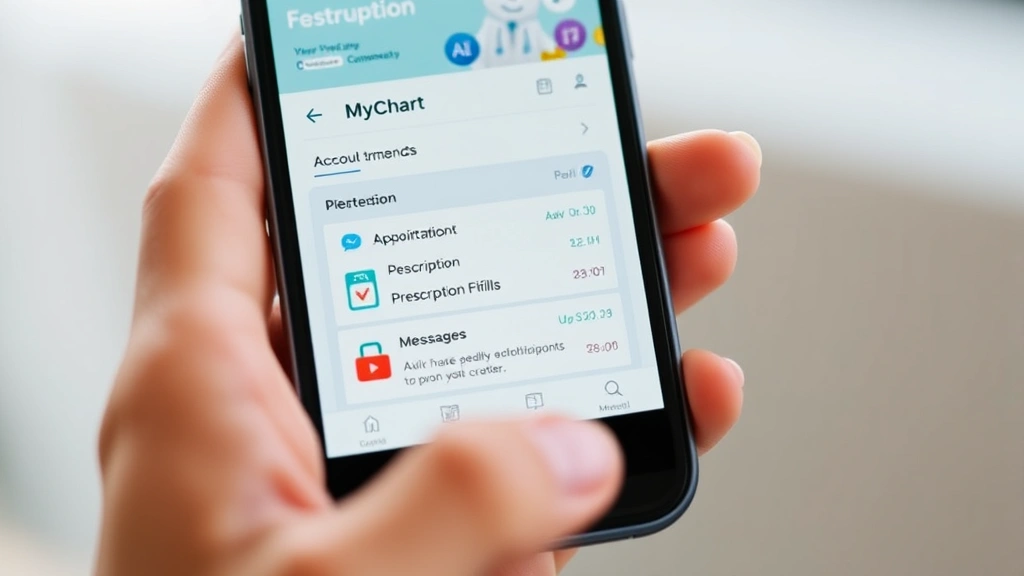
MyChart Memorial Health offers a comprehensive suite of features designed to simplify every aspect of your healthcare management. Understanding what’s available to you helps you get the most from the platform and stay actively engaged in your health decisions.
Dashboard Overview: Your personalized dashboard serves as the central hub for all your health information. At a glance, you can see upcoming appointments, pending lab results, current medications, and any messages from your healthcare team. This bird’s-eye view of your health status helps you stay organized and informed.
Appointment Scheduling: View all your upcoming appointments, receive automatic reminders, and request appointments directly through the portal. You can check provider availability, select convenient time slots, and even cancel or reschedule if needed. This feature alone saves countless hours of phone time.
Test Results Access: As soon as your lab work or imaging results are available, you can view them securely in MyChart. Results include detailed explanations and reference ranges, helping you understand what the numbers mean for your health.
Medication Management: View all your current prescriptions, refill medications with a few clicks, and track your medication history. The system alerts you when refills are due, ensuring you never run out of essential medications.
Health Records: Access your complete medical history, including previous diagnoses, procedures, vaccinations, and allergies. This comprehensive record is invaluable when visiting specialists or preparing for appointments.
Appointment Management Made Simple
Managing appointments has never been easier with MyChart Memorial Health’s intuitive scheduling system. Gone are the days of playing phone tag with your doctor’s office or waiting on hold for hours to book a simple checkup.
To schedule an appointment, log into your MyChart account and select “Schedule an Appointment” from the main menu. You’ll see a list of available providers and their specialties. Filter by provider, location, or appointment type to find exactly what you need. The system displays available time slots in real-time, allowing you to book an appointment that fits your schedule perfectly.
The appointment confirmation appears immediately in your account, and you’ll receive reminder notifications via email or text message (depending on your preferences) a few days before your visit. These reminders significantly reduce no-shows and help you prepare for your appointment by gathering relevant information or completing pre-visit questionnaires.
If your circumstances change, you can reschedule or cancel appointments directly in MyChart without needing to contact the office. However, it’s courteous to provide adequate notice when making changes, allowing the office to offer those slots to other patients. For urgent issues that can’t wait for a scheduled appointment, many Memorial Health locations offer virtual visits through MyChart, connecting you with a provider via video consultation within hours.
Accessing Your Medical Records
Your complete medical history is now at your fingertips through MyChart Memorial Health. This comprehensive record includes every interaction with Memorial Health providers, creating a detailed timeline of your healthcare journey.
Within the Medical Records section, you’ll find:
- Visit Notes: Detailed documentation from every appointment, including the chief complaint, examination findings, and treatment plans
- Diagnoses: A comprehensive list of all diagnosed conditions, both current and historical
- Procedures: Records of all surgical procedures and medical interventions with dates and outcomes
- Immunizations: Complete vaccination history, essential for travel, employment, or school requirements
- Allergies and Adverse Reactions: Critical safety information that helps providers avoid medications or treatments you’ve reacted to previously
- Lab Results: All laboratory test results with normal ranges and provider interpretations
- Imaging Reports: Radiologist reports from X-rays, MRIs, CT scans, and ultrasounds
Having this information readily available is invaluable when visiting specialists or emergency rooms outside of Memorial Health. You can download and print your records or share them electronically with other healthcare providers, ensuring continuity of care across multiple medical systems.

Prescription Refills and Management
Managing your medications becomes effortless with MyChart’s prescription management tools. Whether you take one medication or a dozen, staying organized and never running out of essential prescriptions is now simple.
The Medications section displays all current prescriptions with essential details: medication name, dosage, frequency, and remaining refills. The system automatically alerts you when refills are due, typically about a week before you run out. This proactive notification prevents gaps in your medication regimen, which is particularly important for chronic condition management.
To request a refill, simply select the medication and click “Request Refill.” The request goes directly to your pharmacy and your prescribing provider for approval. Most refills are processed within 24 hours, and you’ll receive notification when your medication is ready for pickup. For ongoing medications you take regularly, you can set up automatic refills, ensuring your prescriptions are always available without requiring repeated requests.
The medication history feature is particularly valuable for tracking your pharmaceutical journey. You can see which medications you’ve taken in the past, why they were prescribed, and when you discontinued them. This information helps both you and your providers make informed decisions about current and future treatments, reducing the likelihood of adverse drug interactions.
Secure Messaging with Providers
Direct communication with your healthcare providers is one of MyChart Memorial Health’s most powerful features. The secure messaging system allows you to ask questions, report symptoms, or discuss concerns without scheduling an appointment.
To send a message, navigate to the Messaging section and select your provider or care team. Type your message, being as specific as possible about your concern. The system supports file attachments, allowing you to include photos or documents relevant to your question. Messages are typically answered within one business day, though urgent matters should still prompt a phone call to your provider’s office.
Secure messaging is perfect for non-urgent questions like:
- Clarifying medication side effects or interactions
- Asking about lab result interpretations
- Requesting referrals to specialists
- Discussing minor health concerns before they require an office visit
- Updating your provider on how you’re responding to treatment
All messages are encrypted and stored securely in your medical record, creating a documented conversation trail. This written record is valuable for your reference and ensures accountability in your healthcare communications. Unlike phone conversations that may be forgotten or misunderstood, written messages provide clarity and documentation.
Health Tracking and Wellness Tools
Beyond managing appointments and prescriptions, MyChart Memorial Health includes wellness features that support your overall health goals. These tools help you track important health metrics and engage in preventive care.
Many MyChart accounts integrate with popular health tracking devices and apps, allowing you to sync data from fitness trackers, blood pressure monitors, and glucose meters. This integration creates a comprehensive picture of your health, combining clinical data from your healthcare providers with personal wellness metrics you’re monitoring.
The platform often includes educational resources aligned with your health conditions, helping you understand your diagnoses better and learn evidence-based strategies for management. Combined with resources about essential mental health awareness facts, you gain a holistic understanding of wellness that encompasses both physical and mental wellbeing.
Preventive care reminders help you stay on top of screenings and vaccinations. If you’re due for a mammogram, colonoscopy, or other preventive service, MyChart will alert you and help you schedule these important appointments. Staying current with preventive care can detect health issues early when they’re most treatable.
Mobile App Benefits
While MyChart works beautifully on desktop computers, the mobile app brings healthcare management to your pocket. Available for both iOS and Android devices, the MyChart app provides all the functionality of the web version with the convenience of mobile access.
Download the official MyChart app from your device’s app store, log in with your credentials, and enjoy seamless access to your health information anywhere. The mobile app is particularly useful for:
- Checking appointment reminders while on the go
- Requesting prescription refills from anywhere
- Responding to secure messages from your providers
- Viewing lab results immediately after they’re posted
- Accessing your medical information during emergencies
- Completing pre-visit questionnaires before appointments
Push notifications keep you updated without requiring you to constantly check the app. You’ll receive alerts about appointment reminders, new messages from your care team, and important test results, ensuring you never miss critical health information.
Privacy and Security Measures
Your health information is among the most sensitive personal data you possess. MyChart Memorial Health employs multiple layers of security to protect your privacy and ensure your information remains confidential.
The platform uses industry-standard encryption to secure all data in transit and at rest. Your password protects your account, but Memorial Health implements additional security measures including:
- Multi-Factor Authentication: Optional additional verification beyond your password
- Session Timeouts: Automatic logout after periods of inactivity to prevent unauthorized access
- Audit Trails: Comprehensive logging of who accesses your information and when
- HIPAA Compliance: Full adherence to federal privacy regulations protecting health information
- Regular Security Updates: Continuous monitoring and updating of security systems
You maintain control over who can access your information. You can grant access to family members, caregivers, or other healthcare providers through the proxy feature, and you can revoke access at any time. Review your account settings regularly to ensure only authorized individuals have access to your health records.
Troubleshooting Common Issues
While MyChart Memorial Health is designed to be user-friendly, you may occasionally encounter technical issues. Here are solutions to common problems:
Forgotten Password: Click “Forgot Password” on the login page. You’ll receive an email with instructions to reset your password. Check your spam folder if you don’t see the email within a few minutes.
Account Activation Delays: New accounts typically activate within 24 hours. If your account hasn’t activated after this time, contact Memorial Health’s patient portal support team. You may need to provide additional verification information.
Browser Compatibility Issues: MyChart works best with current versions of Chrome, Firefox, Safari, or Edge. If you’re experiencing issues, try a different browser or clear your browser’s cache and cookies.
Mobile App Problems: Ensure your app is updated to the latest version. If problems persist, try uninstalling and reinstalling the app. Contact support if issues continue.
Missing Medical Records: Not all historical records may be available immediately, particularly if you’ve recently joined Memorial Health or if records are being transferred from other systems. Contact Medical Records if you’re missing important information.
Message Delivery Issues: If your message to a provider goes unanswered for more than two business days, follow up with a phone call to ensure it was received. Weekends and holidays may extend response times.
For issues not covered here, contact Memorial Health’s patient portal support team via phone or through the help section within MyChart. Support staff can troubleshoot technical problems and answer questions about features.
Frequently Asked Questions
Is MyChart Memorial Health secure?
Yes, MyChart uses enterprise-grade security with encryption, secure authentication, and HIPAA compliance. Your health information is protected with the same standards used by major financial institutions.
Can I share my MyChart account with family members?
Rather than sharing your login credentials, use the proxy feature to grant specific individuals access to your account. This maintains security while allowing family members to help manage your healthcare.
Learn more about supporting loved ones through the Mental Health Awareness Ribbon article on our Life Haven Daily Blog, which explores compassionate care and emotional support.
How quickly will my test results appear in MyChart?
Most results are available within 24-48 hours of completion, though some specialized tests may take longer. You’ll receive a notification when results are posted.
Can I request prescription refills through MyChart?
Yes, prescription refill requests are one of MyChart’s most convenient features. Request refills anytime, and they’re typically processed within 24 hours.
What should I do if I have a medical emergency?
MyChart is not appropriate for emergencies. Call 911 or go to the nearest emergency room for life-threatening situations. MyChart is designed for non-urgent healthcare management.
How do I update my personal information in MyChart?
Navigate to Account Settings or Profile to update your contact information, emergency contacts, and communication preferences. Changes take effect immediately.
Can I download my medical records from MyChart?
Yes, you can download and print your medical records for personal records or to share with other healthcare providers. Use the download feature within the Medical Records section.
How do I manage stress related to health concerns?
Consider exploring effective strategies for reducing stress to support your overall wellness while managing your health through MyChart.
Is MyChart available 24/7?
The MyChart platform is available 24/7 for viewing your information and submitting requests. However, responses from providers are typically provided during business hours.
What if I don’t have internet access?
While MyChart is primarily digital, you can still contact your healthcare providers by phone or in person. Some medical offices can print information from your MyChart record for you if needed.
MyChart Memorial Health transforms healthcare management from a frustrating chore into an empowering experience. By giving you instant access to your health information, streamlined appointment scheduling, and direct communication with your care team, this powerful platform puts you in control of your wellness journey. Start exploring these features today, and discover how digital health tools can enhance your quality of life while keeping you engaged in your healthcare decisions. Your healthier future begins with taking that first step toward proactive, informed self-care.