
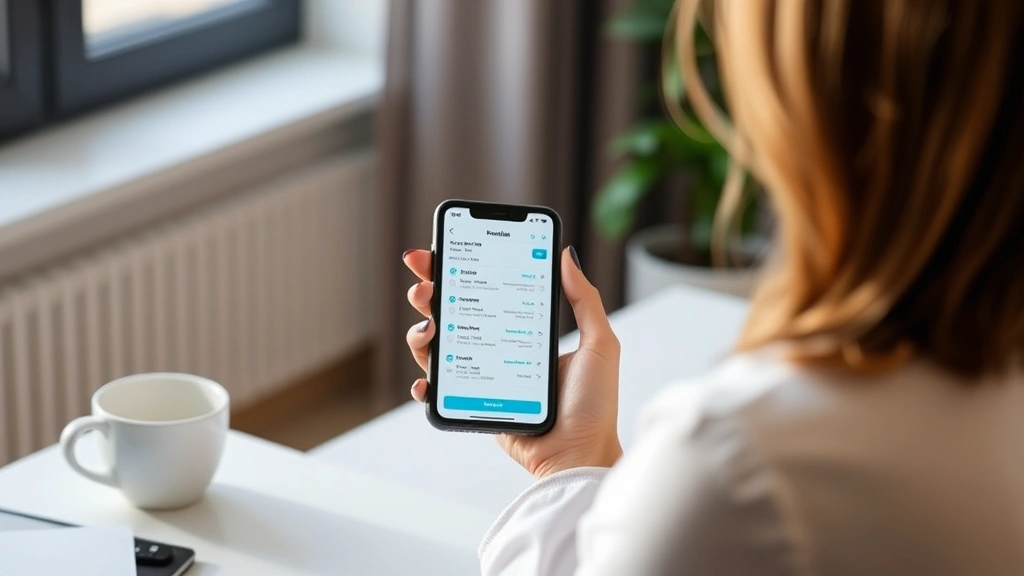
Navigating MyChart: Texas Health User Guide
Managing your healthcare has never been more accessible than with MyChart Texas Health, the patient portal transforming how Texans engage with their medical records and providers. Whether you’re scheduling appointments, reviewing test results, or communicating with your care team, this comprehensive platform streamlines your entire healthcare experience. In today’s digital-first world, understanding how to maximize your MyChart Texas Health resources empowers you to take control of your wellness journey with confidence and ease.
This guide walks you through every feature, from initial setup to advanced functionalities, ensuring you harness the full potential of your digital health tools. We’ll explore practical tips, troubleshooting solutions, and insider strategies that healthcare professionals recommend. By the end, you’ll navigate MyChart like a seasoned user, accessing your health information whenever and wherever you need it.
Table of Contents
- Getting Started with MyChart
- Setting Up Your Account
- Key Features Explained
- Managing Appointments
- Accessing Medical Records
- Provider Messaging System
- Prescription Management
- Security and Privacy
- Troubleshooting Guide
- Frequently Asked Questions
Getting Started with MyChart Texas Health Resources
Your journey with MyChart Texas Health resources begins with understanding what this portal offers and why it matters for your healthcare management. Texas Health Resources operates one of the largest hospital networks in Texas, serving millions of patients across multiple facilities. Their MyChart platform integrates seamlessly with your existing medical records, creating a unified hub for all your healthcare needs.
Before diving into the technical details, recognize that MyChart represents a paradigm shift in patient empowerment. Rather than waiting for phone calls or office visits to access basic health information, you now have 24/7 access to your medical data. This accessibility proves invaluable when managing chronic conditions, preparing for appointments, or simply staying informed about your health status.
The platform functions across multiple devices—smartphones, tablets, and computers—ensuring you can check your health information during your commute, lunch break, or from home. This flexibility aligns perfectly with modern lifestyle demands, where convenience and accessibility determine whether we actually engage with important services.
For those comparing platforms, you might explore similar services like MyChart Novant Health or check out resources at MUSC Health Lancaster Medical Center, but Texas Health’s robust infrastructure and user-friendly design make it particularly appealing for Texas residents.

Setting Up Your Account: A Step-by-Step Process
Creating your MyChart account requires minimal effort but delivers maximum benefit. Start by visiting the Texas Health Resources official website and locating the MyChart login portal. New users will select the registration option and provide basic identification information. You’ll need your date of birth, last name, and either your Social Security number or medical record number to verify your identity.
The verification process typically takes 24-48 hours, during which Texas Health confirms your identity against their database. This security measure protects your sensitive health information from unauthorized access. Once verified, you’ll receive an activation email with instructions for creating your username and password.
When establishing your credentials, choose a strong password combining uppercase and lowercase letters, numbers, and special characters. Avoid using personal information like birthdays or names that hackers might easily guess. Consider using a password manager to securely store your credentials—this approach balances convenience with security.
After logging in successfully, you’ll encounter the dashboard—your command center for all healthcare activities. The interface displays upcoming appointments, recent messages, prescription refill requests, and lab results in an organized, intuitive layout. Taking time to explore each section during your first session pays dividends as you become more comfortable with navigation.
Key Features Explained: What You Can Do
MyChart Texas Health resources encompass far more functionality than most users initially realize. Beyond basic appointment scheduling, the platform serves as a comprehensive health management tool. Understanding these features transforms how you interact with your healthcare providers and manage your wellness goals.
Real-Time Appointment Updates: Receive automatic notifications about appointment reminders, cancellations, or rescheduling opportunities. This feature prevents missed appointments and allows you to adjust your schedule proactively.
Lab and Test Results: Access your results immediately after they’re processed, often before receiving a phone call from your provider. This transparency enables informed conversations during follow-up appointments and reduces anxiety about waiting for results.
Medication Management: View your current medications, dosages, and refill dates. Request refills directly through the portal, eliminating phone calls to your pharmacy and reducing delays in medication availability.
Health Summaries: Download comprehensive health summaries for second opinions, insurance purposes, or personal records. These documents compile your medical history, allergies, current conditions, and medication list.
Preventive Care Reminders: Receive alerts about vaccinations, screenings, and preventive services you’re due for based on your age and health profile. This proactive approach keeps you ahead of health maintenance tasks.
Managing Appointments: Schedule Like a Pro
The appointment scheduling feature represents one of MyChart’s most valuable capabilities. Rather than playing phone tag with scheduling staff, you control your calendar directly. View available time slots across multiple providers and facilities, then book appointments that fit your lifestyle.
When scheduling, the system displays provider information including specialties, qualifications, and patient ratings. This transparency helps you select practitioners who align with your healthcare preferences and needs. You can filter by appointment type, location, and provider availability to find the perfect match.
Once booked, your appointment appears on your personal calendar with automatic reminders sent via email or text message. The reminder option proves particularly useful for those managing busy schedules. You can also modify or cancel appointments directly through the portal, though some providers may require notice periods for cancellations.
For telehealth appointments—increasingly common for routine check-ups and consultations—MyChart provides direct access to video conferencing links. Simply click the appointment when it’s time, and you’re connected to your provider. This feature revolutionizes healthcare access for those with transportation challenges or time constraints.

Accessing Medical Records: Your Complete Health History
Your complete medical history lives within MyChart, accessible whenever you need it. This includes doctor’s notes, hospital discharge summaries, imaging reports, and pathology results. Rather than requesting paper records or waiting for faxes, you access everything digitally in seconds.
The records section organizes information chronologically and by category, making it easy to track your health journey over time. You can review how providers have documented your symptoms, which treatments you’ve tried, and what outcomes resulted. This comprehensive view proves invaluable when preparing for specialist appointments or managing complex health conditions.
Many patients use this feature to educate themselves about their conditions. Reading your provider’s clinical notes in plain language (or requesting clarification on medical terminology) deepens your understanding and enables more productive conversations about treatment options. Knowledge truly becomes power when managing your health.
You can also download or print your complete medical record for personal records, sharing with other providers, or insurance purposes. This portability ensures your health information moves with you, preventing duplicate tests and unnecessary delays in care coordination.
Provider Messaging System: Direct Communication
Secure messaging with your healthcare providers through MyChart eliminates phone tag and creates a documented communication trail. Rather than calling during office hours and hoping to reach someone, you send messages that providers review and respond to typically within 24-48 business hours.
Use the messaging feature for non-urgent questions about medications, side effects, lab result clarifications, or general health concerns. This direct channel proves especially useful for follow-up questions after appointments when you’ve had time to reflect. Providers appreciate the written format, which allows them to consult your chart and provide thorough, thoughtful responses.
The message history remains permanently stored, creating a valuable reference for tracking ongoing conversations about specific health issues. You can reference previous messages when discussing treatment progress or medication adjustments, ensuring continuity of care and preventing miscommunication.
However, reserve urgent matters for phone calls or emergency services. If you’re experiencing severe symptoms, chest pain, difficulty breathing, or other emergencies, call 911 or go to the nearest emergency room immediately. The messaging system, while convenient, isn’t designed for time-sensitive medical emergencies.
Prescription Management: Simplified Refills
Managing prescriptions through MyChart streamlines medication management considerably. View all your current prescriptions with dosage information, refill dates, and pharmacy details in one organized location. When refills are due, simply request them through the portal rather than calling your pharmacy or provider.
The system automatically routes refill requests to your pharmacy, which then processes them according to their workflow. You’ll receive notification when your medication is ready for pickup, reducing unnecessary trips to the pharmacy or delays in medication availability. Some pharmacies even offer delivery options, further enhancing convenience.
If your provider needs to approve a refill or your insurance requires prior authorization, MyChart handles the coordination behind the scenes. You’ll receive updates about any issues or additional information needed, eliminating the frustration of discovering problems only when you arrive at the pharmacy.
The prescription history feature also proves invaluable when preparing for appointments or consulting with specialists. Rather than trying to remember medication names and dosages, you access your complete pharmaceutical profile instantly. This accuracy prevents dangerous drug interactions and ensures all your providers understand your complete medication regimen.
Security and Privacy: Protecting Your Information
Texas Health Resources implements multiple security layers to protect your sensitive health information. The platform uses encryption technology similar to banking systems, ensuring data transmitted between your device and MyChart servers remains confidential. Your login credentials provide the first line of defense—never share your password with anyone, including healthcare staff who should never request it.
Multi-factor authentication adds an extra security layer, requiring you to verify your identity through a second method (typically a code sent to your phone) when logging in from new devices. While this extra step requires a few additional seconds, it significantly reduces unauthorized access risk.
MyChart also allows you to control who accesses your information. You can grant permission to family members or caregivers to view your records, set expiration dates for their access, and revoke permissions anytime. This flexibility proves particularly useful for parents managing children’s health records or adult children overseeing aging parents’ care.
Additionally, you can review your account activity log to see when your information was accessed and by whom. If you notice suspicious activity, contact Texas Health’s security team immediately. This transparency empowers you to maintain control over your health information and quickly identify potential breaches.
Troubleshooting Guide: Solving Common Issues
Forgotten Password: Click the “Forgot Password” link on the login page and follow the reset instructions sent to your registered email address. If you don’t receive the email within 15 minutes, check your spam folder or contact support.
Account Locked: After multiple failed login attempts, your account temporarily locks for security reasons. Wait 15 minutes before trying again, or contact support for immediate assistance if you need urgent access.
Messages Not Appearing: Ensure you’re checking the correct message folder (inbox, sent, archived). Some messages may be filtered automatically. If messages still don’t appear, try logging out completely, clearing your browser cache, and logging back in.
Appointment Won’t Schedule: Verify the provider accepts your insurance and that you’re not double-booking during an existing appointment. Some appointments require pre-authorization before scheduling. Contact your insurance or the provider’s office for clarification.
Slow Loading: Close other browser tabs and applications consuming bandwidth. If slowness persists, try a different browser or device. Contact support if problems continue—technical issues on Texas Health’s end may require their intervention.
Mobile App Issues: Ensure your app is updated to the latest version. Uninstall and reinstall the application if problems persist. Clear the app cache through your device settings before reinstalling.
For persistent technical issues, contact Texas Health’s patient support team through their website or call their helpline. Support representatives can access your account and provide personalized troubleshooting assistance.
Frequently Asked Questions
How do I activate my MyChart account?
Visit the Texas Health Resources website, select “New User,” and provide your identification information. Texas Health verifies your identity within 24-48 hours, then sends activation instructions to your email. Create your username and password to begin using the platform.
Can I share my MyChart access with family members?
Yes. Adult patients can grant access to family members or caregivers by adding them as authorized users. Parents can manage minor children’s accounts directly. You control what information each person can view and can revoke access anytime.
What if I don’t have a computer or smartphone?
While MyChart is digital-first, you can request paper copies of your medical records from Texas Health. However, you’ll miss the convenience of digital access. Consider visiting a library or asking family members to help you set up an account and learn basic navigation.
Are MyChart messages HIPAA-compliant?
Yes. All MyChart communications are encrypted and comply with HIPAA privacy regulations. Your messages with providers remain confidential and protected by the same standards as paper medical records.
Can I download my complete medical record?
Absolutely. Visit the medical records section, select the timeframe you need, and choose download or print options. You’ll receive a comprehensive document including all notes, test results, and medication history. This proves invaluable for personal records or sharing with other providers.
What should I do if I notice errors in my medical records?
Contact your provider’s office immediately to report inaccuracies. Providers can correct documentation errors and update your records. You can also request an amendment be added to your file explaining your perspective on disputed information.
Is MyChart available 24/7?
The MyChart portal itself is accessible 24/7. However, provider responses to messages typically occur during business hours. For urgent medical concerns outside office hours, call your provider’s after-hours line or visit an emergency room.
How often should I check MyChart?
Checking weekly during routine health periods ensures you don’t miss appointment reminders or important notifications. If managing a chronic condition or awaiting test results, check more frequently. Set phone reminders if you tend to forget.
For additional health management strategies, explore our Life Haven Daily Blog for comprehensive wellness resources. You might also find value in reviewing Health and Wellness Gifts that support your healthcare journey, or learning about Health Insurance Innovations Careers if you’re interested in healthcare administration.
Conclusion: Empowering Your Healthcare Journey
Mastering MyChart Texas Health resources transforms your relationship with healthcare from passive to active. You’re no longer waiting for providers to contact you—you’re accessing information, scheduling appointments, and managing medications on your timeline. This shift toward patient empowerment represents the future of healthcare delivery.
Start with the basics: set up your account, explore the dashboard, and schedule your next appointment through the portal. As you become comfortable, leverage advanced features like secure messaging and prescription refills. Within weeks, you’ll wonder how you managed healthcare without this tool.
Remember that MyChart complements, not replaces, direct communication with your healthcare providers. Use the platform to enhance your care coordination, streamline administrative tasks, and stay informed about your health. Combined with regular check-ups, preventive care, and open conversations with your care team, MyChart becomes an invaluable partner in your wellness journey.
Your health information is yours—MyChart simply puts it in your hands, accessible whenever you need it. Embrace this powerful tool and take control of your healthcare experience today.
External Resources for Further Learning
Health Affairs: Patient Portal Benefits Research – Peer-reviewed study on patient portal effectiveness
American Medical Association: Patient Engagement in Digital Health – Professional guidelines for digital health engagement
HealthIT.gov: Electronic Health Records Overview – Government resource explaining EHR systems
HIMSS: Healthcare Cybersecurity Resources – Industry standards for health data security