

Unlock MyChart: User Guide for Summit Health
Managing your healthcare has never been more convenient. MyChart by Summit Health transforms how you interact with your medical team, putting essential health information and communication tools directly at your fingertips. Whether you’re scheduling appointments, reviewing test results, or refilling prescriptions, this comprehensive platform streamlines your entire healthcare experience into one intuitive digital space.
As a lifestyle-focused health resource, we understand that modern wellness extends beyond doctor visits—it encompasses seamless access to your medical records, proactive health management, and the ability to take control of your healthcare journey. This guide walks you through every feature of MyChart, ensuring you maximize this powerful tool for better health outcomes and peace of mind.
From first-time setup to advanced features, we’ll cover everything you need to know about navigating Summit Health’s patient portal. You’ll discover how to leverage MyChart not just as a reactive tool for managing appointments, but as a proactive partner in your overall wellness strategy.
Getting Started with MyChart
MyChart represents a fundamental shift in how patients engage with their healthcare providers. This patient portal, offered through Summit Health, connects you directly with your medical team while maintaining the highest security standards. The platform is designed with user experience in mind, making healthcare management accessible to everyone, regardless of technical expertise.
Before you can access MyChart, you’ll need to understand the prerequisites. Most importantly, you should have an active relationship with a Summit Health provider or facility. Your healthcare provider will have your basic information on file, which forms the foundation for your MyChart account. If you’ve recently been seen at a Summit Health location or have an upcoming appointment, you’re ready to begin the registration process.
The beauty of MyChart lies in its accessibility. Whether you’re managing wellness goals and health priorities or dealing with chronic health conditions, this platform accommodates all levels of healthcare engagement. You can access it from any device with internet connectivity—smartphone, tablet, or computer—ensuring your health information is available whenever you need it.
Security is paramount in healthcare, and Summit Health takes this seriously. MyChart uses encrypted connections and multi-factor authentication to protect your sensitive medical information. You’ll need to verify your identity during registration, typically through information already in Summit Health’s system combined with personal verification questions.
Setting Up Your Account
Creating your MyChart account is straightforward, though it requires careful attention to detail. Visit the official MyChart login page associated with your Summit Health location. Look for the “New User? Register Here” option, which will guide you through the registration process step by step.
During registration, you’ll be asked to provide several pieces of information that Summit Health has on file from your previous visits. This includes your date of birth, phone number, and medical record number (if you have one). The system uses this information to verify your identity and ensure you’re accessing only your own medical records.
Next, you’ll create your login credentials. Choose a username that’s easy for you to remember but difficult for others to guess. Your password should be strong—combining uppercase letters, lowercase letters, numbers, and special characters. Many healthcare professionals recommend storing your password securely using a password manager, which also helps you maintain strong, unique passwords across different platforms.
After creating your login credentials, you’ll set up security questions and answers. These serve as an additional verification step if you ever need to reset your password. Choose questions with answers only you would know, and avoid common knowledge answers that could be found on social media.
Once your account is created, take time to complete your profile. Add emergency contacts, update your preferred communication methods, and ensure your contact information is current. This information helps your healthcare team reach you quickly if needed and ensures important health notifications reach you through your preferred channels.
For those managing mental health as part of comprehensive wellness, MyChart provides a secure, private space to track symptoms, moods, and treatment progress with your mental health provider.
Navigating the Dashboard
Once you’ve logged into MyChart, you’ll encounter the dashboard—your personal command center for all health-related activities. The dashboard is thoughtfully organized to display the information most relevant to your immediate healthcare needs.
At the top of your dashboard, you’ll typically find quick-access buttons for common tasks: scheduling appointments, messaging your doctor, and viewing upcoming appointments. Below this, you’ll see sections for recent test results, current medications, and any alerts or reminders from your healthcare team.
The left sidebar contains the main navigation menu, organized by category. This menu structure makes finding specific information intuitive. Rather than searching through multiple screens, you can navigate directly to appointments, medical records, prescriptions, or billing sections with a single click.
Personalizing your dashboard enhances your experience. Many MyChart versions allow you to customize which widgets appear on your home screen, arrange them according to your preferences, and set notification preferences. If you’re managing multiple family members’ accounts, you can often switch between profiles quickly from the dashboard.
The search functionality within MyChart is powerful and worth exploring. You can search for specific test results, medications, appointment dates, or provider names. This feature proves invaluable when you need to locate specific information quickly, particularly if you’ve been a patient for many years and have accumulated extensive medical records.

Managing Appointments
One of MyChart’s most practical features is appointment management. Rather than calling your doctor’s office to schedule visits, you can often book appointments directly through the portal, 24/7. This eliminates phone tag and provides immediate confirmation of your appointment.
To schedule an appointment, navigate to the appointments section and select “Schedule a New Appointment.” You’ll see available providers and time slots based on your location preferences and insurance coverage. The system shows appointment types—such as new patient visits, follow-ups, or specific specialty consultations—helping you choose the appropriate visit type.
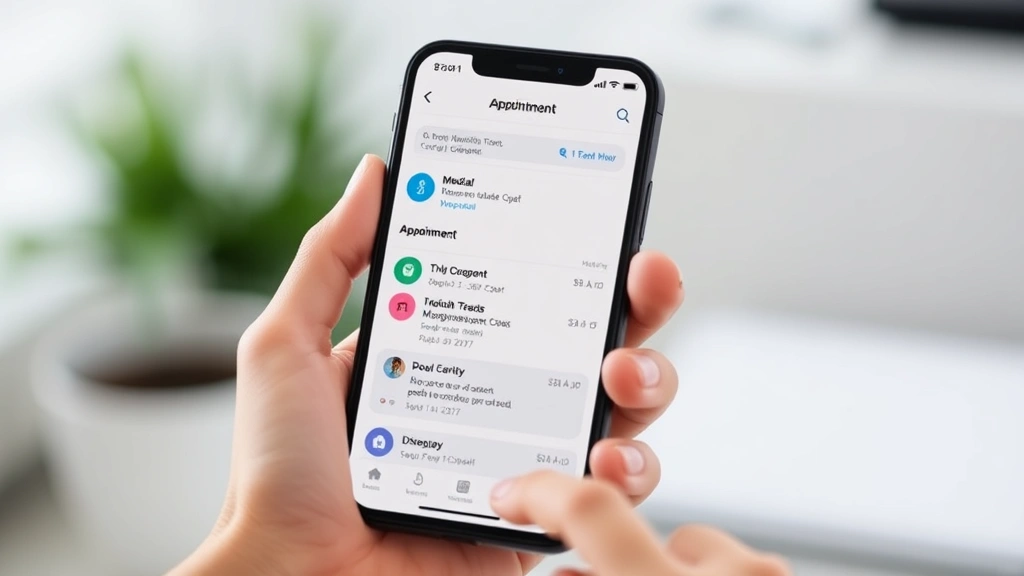
MyChart displays appointment details clearly, including the provider’s name, location, date, time, and any pre-visit instructions. You can set reminders for upcoming appointments, which the system can deliver via email or text message. Many patients find these reminders invaluable for ensuring they don’t miss important healthcare visits.
Canceling or rescheduling appointments is equally simple. If you need to change your appointment time, you can often find alternative slots immediately and switch with just a few clicks. This flexibility respects both your schedule and your healthcare provider’s time.
For those managing complex health situations or multiple appointments across different specialists, MyChart allows you to view all your upcoming appointments in one place. This comprehensive view helps you coordinate care and ensure you’re not double-booking or missing critical follow-up visits. This is especially valuable when implementing comprehensive health insurance coverage and coordinated care strategies.
Accessing Medical Records
Your complete medical history is accessible through MyChart’s medical records section. This includes visit summaries, test results, immunization records, allergies, and current medications. Having this information at your fingertips empowers you to be an informed participant in your healthcare.
Visit summaries provide detailed notes from your appointments, including the reason for the visit, physical examination findings, assessments, and recommended treatment plans. These summaries help you remember important discussion points and follow medical advice more accurately.
Test results appear in MyChart typically within 24-48 hours of being processed by the laboratory. You can view normal and abnormal results, including reference ranges that help you understand what the numbers mean. Many results include explanatory notes from your provider, clarifying what results indicate and what actions, if any, you should take.
The immunization section maintains a complete record of all vaccines you’ve received, including dates and provider information. This proves particularly useful when traveling, applying for jobs, or enrolling in educational programs that require proof of immunizations.
Your allergy and medication lists are critical safety features. These sections help prevent dangerous drug interactions and allergic reactions. Ensure this information is always current by reviewing it regularly and updating your provider if anything changes. If you have multiple pharmacies or see providers outside Summit Health, manually updating this information becomes even more important.
For comprehensive health management, consider how accessing international or specialized health insurance options might complement your medical records access, especially if you travel frequently or have unique healthcare needs.
Secure Messaging with Providers
MyChart’s secure messaging feature creates a direct communication channel with your healthcare team. Unlike email, which isn’t secure for medical information, MyChart’s encrypted messaging ensures your health information remains confidential and HIPAA-compliant.
To send a message, navigate to the messaging section and select your intended recipient—typically your primary care provider or a specific specialist. You can ask health questions, request prescription refills, clarify after-visit instructions, or discuss test results. Most providers respond to messages within 24 business hours, though urgent matters should still be addressed through phone or in-person visits.
Message history is permanently stored in MyChart, creating a written record of your communications with your healthcare team. This documentation proves valuable for tracking treatment progress, clarifying recommendations, and serving as a reference for future appointments.
Best practices for secure messaging include being clear and concise, providing relevant context, and avoiding requests that require urgent attention (such as severe symptoms or medication emergencies). For urgent matters, always call your provider’s office directly or seek emergency care if appropriate.
The messaging feature also works in reverse—your providers can send you messages, including appointment reminders, lab result notifications, or follow-up instructions. You can configure notification preferences to ensure you receive these messages through your preferred channels.
Prescription Management
Managing medications through MyChart simplifies an essential aspect of healthcare. Your current medication list displays all prescriptions your Summit Health providers have issued, along with dosage, frequency, and refill information.
Requesting prescription refills is straightforward. Rather than calling your pharmacy, you can request refills directly through MyChart. The system routes your request to your provider for approval, then sends it to your pharmacy. This typically takes 24-48 hours, making it much faster than traditional phone requests, especially during busy office hours.
MyChart shows your medication history, documenting all prescriptions you’ve filled, discontinued medications, and medication changes over time. This historical perspective helps you and your providers make informed decisions about your current treatment plan.
The pharmacy integration feature is particularly useful. You can view which pharmacy your prescriptions are sent to and change pharmacies if needed. Some MyChart versions even allow you to compare medication prices across different pharmacies, potentially saving you money on prescriptions.
For those managing multiple medications, MyChart’s medication interaction checker helps identify potential problems. While this shouldn’t replace your pharmacist’s expertise, it provides an additional safety net. If you’re concerned about medication interactions or side effects, the secure messaging feature lets you contact your provider quickly for clarification.
Understanding your medication regimen connects directly to your overall health and wellness journey, ensuring you’re taking the right medications at the right times to support your wellbeing.
Understanding Your Billing
MyChart provides transparency into your healthcare costs through its billing section. You can view statements, explanation of benefits (EOB) documents, and payment information all in one place, eliminating the need to manage multiple paper statements.
Your account balance shows what you owe Summit Health after insurance processing. The itemized billing statement breaks down charges by date, service, and provider, allowing you to understand exactly what you’re being charged for. This transparency is crucial for identifying billing errors or unauthorized charges.
The explanation of benefits section clarifies how your insurance processed your claim. It shows what your insurance paid, what you’re responsible for, and why certain services might be denied or require prior authorization. Understanding these documents helps you maximize your insurance benefits and avoid surprise bills.
MyChart typically offers multiple payment options, including online payment, automatic recurring payments, and payment plans for larger balances. Setting up automatic payments ensures you never miss a deadline while maintaining a clear record of all transactions.
If you notice billing discrepancies, you can contact your provider’s billing department through MyChart or by phone. Having detailed billing information accessible through the portal makes it much easier to dispute charges or ask clarifying questions about your account.
For those concerned about healthcare costs, exploring comprehensive health insurance options and understanding your billing can help you make informed decisions about your coverage.
Frequently Asked Questions
How do I reset my MyChart password?
If you’ve forgotten your password, click the “Forgot Password” link on the MyChart login page. Enter your username or email address, and the system will send password reset instructions to your registered email. Follow the link and create a new password. If you don’t receive the reset email, check your spam folder or contact Summit Health’s patient support team for assistance.
Can I access MyChart on my mobile device?
Yes, MyChart is fully optimized for mobile devices. You can download the official MyChart app from the Apple App Store or Google Play Store, or access it through your mobile browser. The mobile version includes all the same features as the desktop version, allowing you to manage your healthcare on the go.
Is my information secure in MyChart?
Absolutely. MyChart uses industry-standard encryption, secure login protocols, and multi-factor authentication to protect your health information. All data is stored in HIPAA-compliant systems, and your information is protected by the same privacy laws that govern physical medical records.
How long does it take to see test results in MyChart?
Most test results appear in MyChart within 24-48 hours of processing, though this timeline can vary depending on the test type and laboratory. Your provider may contact you directly if results require immediate attention, so don’t wait for results to appear in MyChart if you have urgent health concerns.
Can I share my MyChart access with family members?
MyChart allows you to grant access to family members or caregivers through its proxy feature. You can give them permission to view your records, schedule appointments, or manage prescriptions. This is particularly helpful for parents managing children’s healthcare or adult children assisting aging parents. To set up proxy access, navigate to your account settings and select the proxy management option.
What should I do if I encounter technical problems with MyChart?
If you experience technical difficulties, first try clearing your browser cache and cookies, then refresh the page. If the problem persists, contact Summit Health’s technical support team. They can troubleshoot issues, reset your account if necessary, or provide alternative ways to access your information.
Can I use MyChart to request medical leave documentation?
Many MyChart systems allow you to request work or school documentation directly through the portal. Look for a “Forms” or “Requests” section where you can submit these requests. Your provider will review and process them, typically returning completed documentation within a few business days.
MyChart represents a significant step forward in patient empowerment and healthcare accessibility. By mastering its features—from appointment scheduling to secure messaging to prescription management—you transform your healthcare experience from reactive to proactive. You’re no longer simply showing up for appointments; you’re actively managing your health, maintaining detailed records, and communicating directly with your healthcare team.
The platform’s intuitive design means that even those uncomfortable with technology can quickly become proficient users. Spending time exploring each feature and customizing your settings according to your needs ensures you’re getting maximum value from this powerful tool. Whether you’re managing a chronic condition, maintaining preventive care, or simply staying organized about your health, MyChart adapts to your specific needs.
As you continue your healthcare journey with Summit Health, remember that MyChart is your partner in wellness. Use it not just to manage appointments and prescriptions, but as a foundation for understanding your health, communicating with your providers, and taking active control of your wellbeing. When combined with other lifestyle health resources and wellness strategies, MyChart becomes an integral part of your comprehensive approach to living your healthiest life.