

How to Use Northwell’s FollowMyHealth: Complete Guide Inside
Managing your healthcare has never been more convenient than with Northwell Health’s FollowMyHealth portal. This comprehensive digital platform empowers patients to take control of their medical information, schedule appointments, communicate with healthcare providers, and access test results from anywhere, anytime. Whether you’re a new user or looking to maximize your experience, this guide walks you through every feature and benefit of this innovative patient engagement tool.
FollowMyHealth represents a significant shift in how patients interact with their healthcare providers. Rather than waiting for phone calls or office visits to discuss test results, you can review them instantly from your device. The platform integrates seamlessly with Northwell Health’s extensive network, making it an essential tool for anyone seeking a more connected and responsive healthcare experience. Let’s explore how to set up your account and leverage all the powerful features available to you.
Getting Started with FollowMyHealth
FollowMyHealth is Northwell Health’s patient portal designed to enhance your healthcare journey. Before diving into the features, it’s important to understand what makes this platform special. Unlike traditional healthcare communication methods, FollowMyHealth brings all your medical information into one secure, accessible location. This means you can manage multiple aspects of your health without juggling phone calls, paper records, or multiple websites.
The portal is available 24/7, allowing you to engage with your healthcare on your schedule. Whether you’re checking lab results at midnight, requesting prescription refills on a Sunday, or reviewing visit summaries after hours, FollowMyHealth accommodates your lifestyle. The platform is particularly valuable for those managing community health center services or coordinating care across multiple Northwell facilities.
To get started, you’ll need internet access and a valid email address. The registration process is straightforward and typically takes just a few minutes. Once activated, you’ll have immediate access to your health information and can begin exploring the platform’s capabilities.
Creating Your Account
Step-by-step account creation ensures you set up your FollowMyHealth account correctly from the start. Begin by visiting the official Northwell Health website and locating the FollowMyHealth portal link. You’ll see an option to “Register” or “Create New Account” on the login page.
- Click on the registration link: Look for “Don’t have an account?” or “Register here” text.
- Provide your personal information: Enter your full name, date of birth, and email address exactly as they appear in Northwell Health’s system.
- Verify your identity: You may be asked security questions or to provide information from recent medical visits to verify your identity.
- Create a username and password: Choose a secure username and a strong password with uppercase, lowercase, numbers, and special characters.
- Set security questions: Select and answer security questions for account recovery purposes.
- Accept terms and conditions: Review and accept Northwell Health’s privacy policies and terms of use.
- Activate your account: Check your email for an activation link and click it to confirm your account.
Once your account is active, you can log in immediately. Your healthcare providers will see that you’ve registered and may send you welcome messages or important information through the portal. This is an excellent opportunity to review any outstanding tasks or communications from your care team.
Key Features and Functions
FollowMyHealth offers an impressive array of features designed to streamline your healthcare management. Understanding these capabilities helps you use the platform to its fullest potential and stay more engaged with your health.
Appointment scheduling stands out as one of the most time-saving features. Rather than calling your doctor’s office and waiting on hold, you can browse available appointment slots and book directly through the portal. This convenience is especially valuable for busy professionals and those coordinating care across multiple providers.
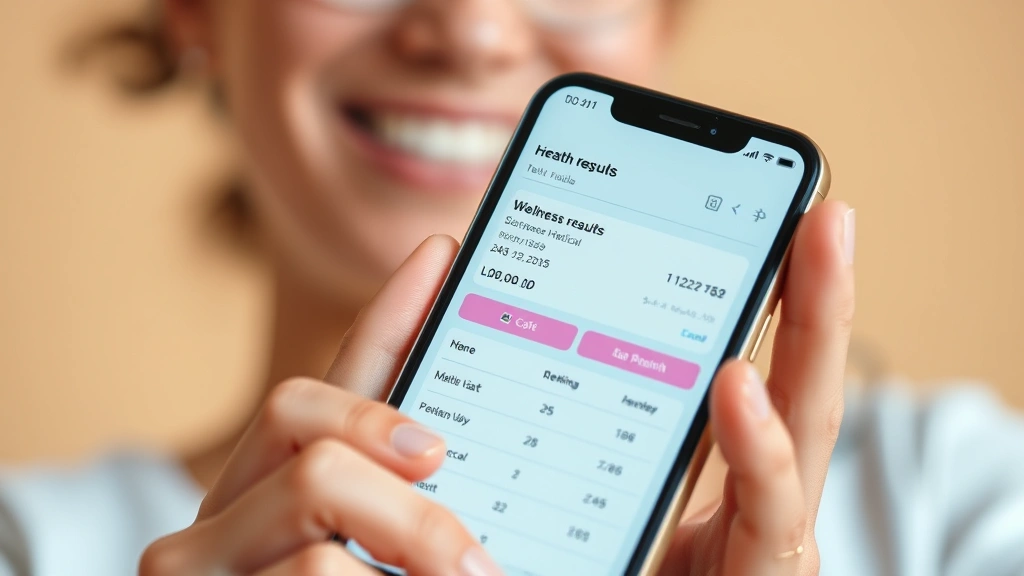
Lab and test results appear in your portal as soon as they’re available, often before your doctor’s office calls you. This immediate access means you can review findings, research results, and prepare questions for your next visit. The platform typically includes explanations of what results mean, helping you understand your health status better.
Prescription management allows you to request refills, view medication history, and receive notifications when prescriptions are ready for pickup. This feature reduces medication errors and ensures you never run out of essential medications unexpectedly.
Visit summaries and clinical notes provide detailed information about your appointments. You can review what was discussed, any diagnoses, treatment plans, and follow-up recommendations. This documentation is invaluable for maintaining continuity of care and understanding your treatment journey.
For those seeking additional wellness resources, exploring health and wellness gifts and mental health awareness initiatives can complement your healthcare engagement. Additionally, understanding health insurance innovations helps you make informed decisions about your coverage and benefits.
Scheduling and Managing Appointments
The appointment scheduling feature revolutionizes how you book healthcare visits. Instead of playing phone tag with office staff, you control the process. To schedule an appointment, log into your account and look for the “Appointments” or “Schedule Visit” section.
You’ll see available time slots for various providers and locations across the Northwell Health network. Filter by provider specialty, location, or date to find appointments that work for your schedule. Many providers offer same-day or next-day appointments, addressing urgent healthcare needs quickly.
When you book an appointment, you’ll receive an immediate confirmation with all relevant details: date, time, location, provider name, and any pre-visit instructions. This confirmation is also emailed to you and stored in your portal for easy reference. If your plans change, you can reschedule or cancel appointments directly through the platform, freeing up that time slot for other patients who need it.
Reminders are automatically sent via email and text message (if you’ve enabled notifications) before your appointment. These reminders include directions to the facility and a list of documents to bring. This proactive approach reduces no-shows and ensures you’re prepared for your visit.
Accessing Your Medical Records
Your complete medical history is accessible through FollowMyHealth, providing a comprehensive view of your healthcare. This includes previous diagnoses, medications, allergies, immunization records, and past procedures. Having this information centralized is particularly valuable if you see multiple providers or specialists.
Lab results display with reference ranges, helping you understand whether values are normal, high, or low. Many results include brief explanations of what they measure and why your provider ordered them. If you have questions about specific results, you can use the secure messaging feature to ask your provider directly.
Imaging and diagnostic reports are also available through the portal. If you’ve had X-rays, ultrasounds, MRIs, or other imaging studies at Northwell facilities, the reports and sometimes images themselves can be accessed. This is particularly helpful if you’re seeking a second opinion or need to share results with another healthcare provider.
Medication lists show all current prescriptions, including dosage, frequency, and refill information. This comprehensive view helps prevent medication interactions and ensures continuity if you change providers. You can also see the reason each medication was prescribed and any important notes from your provider.

Secure Messaging with Providers
One of FollowMyHealth’s most powerful features is secure messaging, which creates a documented communication channel between you and your healthcare team. This asynchronous communication method is perfect for non-urgent questions, follow-ups, and coordination of care.
To send a message, navigate to the messaging section and compose a note to your provider or care team. Be clear and concise about your concern or question. Providers typically respond within 24 business hours, though many respond more quickly. Your message history is maintained in the portal, creating a valuable record of your communications.
Common uses for secure messaging include:
- Asking questions about test results or diagnoses
- Requesting prescription refills or adjustments
- Reporting symptoms or side effects from medications
- Scheduling follow-up appointments or procedures
- Clarifying treatment instructions or recommendations
- Requesting referrals to specialists
- Updating your provider about your progress with treatment plans
This documented communication improves care coordination and ensures nothing falls through the cracks. Unlike phone calls, you have a written record of what was discussed and any recommendations made by your provider.
Managing Prescriptions
Prescription management through FollowMyHealth streamlines medication handling and ensures you maintain your treatment regimen without interruption. The prescription section displays all active medications, including the medication name, dosage, frequency, and remaining refills.
To request a refill, simply locate the medication in your list and click “Request Refill.” Your request is sent directly to your pharmacy and your provider for approval. You’ll receive a notification when the refill is ready for pickup. This eliminates the need to call your doctor’s office or pharmacy, saving time and reducing the risk of running out of medication.
The prescription history section shows medications you’ve taken in the past, including dates and reasons for discontinuation. This historical perspective is valuable for your provider when making treatment decisions and helps prevent re-prescribing medications that previously caused problems.
If you need to adjust your medication—perhaps due to side effects or lack of effectiveness—you can message your provider directly through FollowMyHealth. Include specific information about your concerns, and your provider can modify your prescription or recommend alternatives.
Using the Mobile Application
FollowMyHealth is available as a mobile application for both iOS and Android devices, bringing all portal features to your smartphone or tablet. The app provides the same functionality as the web portal with an interface optimized for mobile use.
Download the official FollowMyHealth app from your device’s app store and log in with your portal credentials. The mobile app includes push notifications for appointment reminders, test result notifications, and messages from your healthcare team. This real-time notification system ensures you never miss important health information.
The app’s appointment scheduling feature is particularly convenient on mobile devices. You can book appointments while commuting, during lunch breaks, or anytime it’s convenient for you. The mobile interface makes browsing available time slots and selecting appointments quick and intuitive.
Mobile access to lab results means you can check important health information immediately after tests are processed, without waiting to get home to your computer. This instant access empowers you to stay informed about your health status at all times.
Security and Privacy Features
FollowMyHealth employs enterprise-grade security measures to protect your sensitive health information. Your data is encrypted both in transit and at rest, meaning it’s scrambled when traveling across the internet and when stored on servers.
The platform uses two-factor authentication, adding an extra layer of security beyond your password. When you log in from a new device, you’ll receive a verification code via email or text message, ensuring that only you can access your account.
HIPAA compliance is built into FollowMyHealth’s infrastructure. HIPAA (Health Insurance Portability and Accountability Act) is the federal law protecting patient privacy. Northwell Health’s portal meets all HIPAA requirements, ensuring your information is handled with the utmost confidentiality.
You maintain control over your data. You can view who has accessed your information, set privacy preferences, and grant or revoke access to family members or caregivers. This granular control ensures your health information is shared only with those you authorize.
Regularly update your password and never share your login credentials with anyone. Use the “Logout” button when finished using the portal, especially on shared devices. These simple practices significantly enhance your account security.
Common Issues and Solutions
Forgotten passwords are easily resolved through the “Forgot Password” link on the login page. You’ll receive an email with instructions to reset your password. If you don’t receive the email, check your spam folder or contact Northwell Health’s IT support.
Account activation delays occasionally occur. If you don’t receive your activation email within a few minutes, wait 15-20 minutes before requesting a new activation email. If problems persist, contact your healthcare provider’s office to verify your account was created correctly in their system.
Missing medical records might mean those records haven’t been entered into the digital system yet. Older records or those from external providers may take additional time to appear. Contact your provider’s office if you need specific records urgently.
Technical difficulties can usually be resolved by logging out completely, clearing your browser cache, and logging back in. If issues persist, try accessing FollowMyHealth from a different browser or device. Northwell Health’s technical support team is available to assist with persistent problems.
Notification issues can be fixed by checking your notification settings within the app or portal. Ensure notifications are enabled in your device’s settings and that your email and phone number are correctly entered in your profile.
Frequently Asked Questions
What devices can I use to access FollowMyHealth?
FollowMyHealth is accessible from any device with an internet browser, including computers, tablets, and smartphones. The mobile app is available for iOS and Android devices, providing optimized access on phones and tablets.
Is there a cost to use FollowMyHealth?
No, FollowMyHealth is completely free for all Northwell Health patients. It’s included as part of your healthcare benefits and requires no additional fees or subscriptions.
How long does it take to receive responses from my provider?
Most providers respond to messages within 24 business hours. However, many respond much more quickly, sometimes within hours. For urgent medical concerns, call your provider’s office directly or seek emergency care.
Can I share my account with family members?
You can grant access to family members or caregivers through the proxy or delegate feature in your account settings. This allows them to view your health information and help manage your care without compromising your privacy.
What should I do if I see incorrect information in my medical record?
Contact your healthcare provider’s office directly to report inaccuracies. They can correct information in the system. Document what information is incorrect and when you discovered the error to facilitate the correction process.
Are my test results visible immediately after testing?
Most results appear within 24-48 hours of testing, though some may take longer depending on the type of test. You’ll receive a notification when results are available in your portal.
Can I download or print my medical records?
Yes, FollowMyHealth typically allows you to download or print your medical records. Look for download or print options within each section of your health information. You can also request official copies through your provider’s office.
What happens to my FollowMyHealth account if I change providers?
If you continue seeing providers within the Northwell Health network, your account remains active. If you switch to providers outside Northwell, you may need to set up accounts with their patient portals, though you can maintain your FollowMyHealth account as long as you have an active relationship with Northwell providers.
For more information about managing your healthcare across different providers, explore Northwell Health’s FollowMyHealth resources or visit the Life Haven Daily Blog for additional health management insights.
How do I contact technical support?
Northwell Health provides technical support for FollowMyHealth through their patient support line. Contact information is available on the login page or through your provider’s office. Support staff can help with account issues, technical difficulties, and questions about using the platform.
FollowMyHealth represents a modern approach to patient engagement and healthcare management. By mastering this platform, you take an active role in your health and wellness journey. Whether you’re scheduling appointments, reviewing test results, or communicating with your healthcare team, FollowMyHealth puts powerful tools at your fingertips. Start exploring these features today and experience a more connected, responsive healthcare experience tailored to your lifestyle and needs.