

Manage Health Online: UCI MyChart Explained
In today’s fast-paced world, managing your health shouldn’t require endless phone calls or waiting rooms. UCI Health MyChart revolutionizes how patients interact with their healthcare providers by putting medical management directly into your hands. Whether you’re scheduling appointments, reviewing lab results, or communicating with your care team, this digital platform transforms the traditional healthcare experience into something seamless and convenient.
The shift toward digital health management reflects a broader transformation in how we approach wellness. As more people prioritize proactive health monitoring alongside their careers and personal lives, tools like UCI MyChart have become essential for maintaining control over your medical journey. This comprehensive guide explores every feature, benefit, and insider tip for maximizing your experience with this powerful health management platform.
Understanding how to leverage health and wellness technology empowers you to take charge of your medical care while maintaining the work-life balance that modern living demands.
Getting Started with UCI MyChart
Accessing UCI MyChart begins with a simple registration process that takes just minutes. If you’re an established patient at UCI Health, you can activate your account online or request activation at your next appointment. The platform requires basic personal information and security verification to ensure your medical data remains protected.
Creating a strong password is your first line of defense in protecting sensitive health information. UCI MyChart recommends using a combination of uppercase and lowercase letters, numbers, and special characters. Once activated, you’ll receive a secure login credential that grants you immediate access to your health profile.
New users often appreciate the intuitive onboarding experience that guides you through setting up preferences, adding emergency contacts, and linking any existing health devices. The platform supports integration with popular fitness trackers and health monitoring apps, allowing you to consolidate your wellness data in one centralized location.
For those interested in advancing their knowledge of health wellness club initiatives, UCI MyChart serves as an excellent foundation for understanding modern digital health ecosystems.

” alt=”Young professional using tablet in bright home office to check UCI MyChart health records” style=”max-width:100%;height:auto;border-radius:10px”> UCI MyChart delivers a comprehensive suite of tools designed to streamline every aspect of your healthcare interaction. The dashboard provides an at-a-glance view of your most important health information, including upcoming appointments, pending lab results, and medication reminders. Real-time notifications keep you informed about important updates without requiring constant manual checking. You can customize alert preferences to receive information that matters most to you, whether that’s appointment reminders, lab result notifications, or prescription refill alerts. The platform’s search functionality allows you to quickly locate specific medical records, test results, or previous communications. Advanced filtering options let you organize information by date range, provider, or document type, making research into your health history straightforward and efficient. Integration with health tech innovation means UCI MyChart continuously evolves with new capabilities. Recent updates include enhanced data visualization for chronic condition management and improved interoperability with external healthcare providers. Scheduling appointments through UCI MyChart eliminates the frustration of phone tag and limited office hours. The online scheduling system displays available appointment slots across all UCI Health locations and providers, allowing you to book at your convenience any time of day or night. The appointment management interface shows: Once booked, you’ll receive automatic reminders via email and text message. These reminders reduce no-shows and ensure you have adequate time to prepare. If plans change, canceling or rescheduling takes seconds through the same platform where you booked. For established patients with regular appointments, UCI MyChart’s recurring appointment feature simplifies ongoing care management. Patients managing chronic conditions appreciate the ability to schedule multiple appointments simultaneously, ensuring continuity of care without administrative burden.Key Features and Functionality
Appointment Management Made Simple
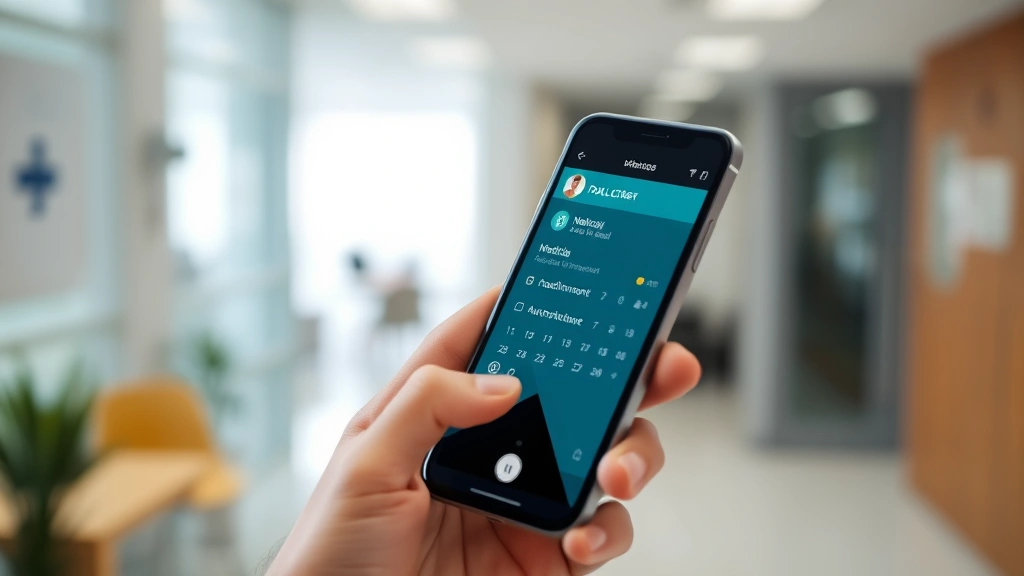
” alt=”Close-up of smartphone screen showing UCI MyChart appointment calendar with upcoming medical visits” style=”max-width:100%;height:auto;border-radius:10px”> Complete access to your medical records represents a fundamental shift in patient empowerment. UCI MyChart provides comprehensive documentation including office visit summaries, laboratory results, imaging reports, and hospitalization records. This transparency enables informed conversations with your healthcare providers and supports second opinions when desired. Lab results appear in UCI MyChart typically within 24-48 hours of completion. The platform helpfully highlights abnormal values and provides reference ranges, allowing you to understand your results in context. For complex results, you can request a callback from your provider through the messaging system. Historical records extend back years, creating a searchable archive of your complete medical history. This proves invaluable when seeing new providers, as you can easily share relevant past medical information without requesting records from multiple facilities. The Life Haven Daily Blog frequently discusses how patient access to medical records supports proactive health management and informed decision-making. Document download and sharing capabilities allow you to export records for personal storage or share with other healthcare providers. This portability ensures your health information travels with you, reducing redundant testing and improving care coordination across multiple healthcare systems. Direct communication with your healthcare providers through secure messaging eliminates phone tag and creates a documented conversation trail. UCI MyChart’s messaging system allows you to ask non-urgent questions, request prescription refills, report symptoms between appointments, or seek clarification about test results. Message response times typically range from 24-48 hours during business days. For urgent concerns, the platform clearly indicates when to use emergency services instead of messaging. This distinction ensures patients receive appropriate care urgency levels while reducing unnecessary emergency department visits. The messaging interface maintains conversation history, allowing you to reference previous exchanges without searching through email. This proves particularly valuable for managing chronic conditions where consistent communication with your care team supports optimal outcomes. Patients appreciate the ability to communicate with multiple providers simultaneously, whether that’s coordinating between your primary care physician and specialists. The platform clearly tracks which providers have reviewed and responded to your messages, ensuring accountability and preventing communication gaps. Managing medications becomes effortless through UCI MyChart’s prescription management features. The platform displays all active prescriptions with dosage information, refill frequency, and pharmacy details. You can initiate refill requests directly through the app, typically receiving filled prescriptions within 24-48 hours. The medication list serves as a comprehensive drug interaction checker. When providers consider new medications, they can review your complete medication profile to prevent dangerous interactions. This collaborative approach to medication management significantly enhances safety. Prescription reminders help you maintain medication adherence, which research consistently shows improves health outcomes for chronic conditions. Customizable alerts notify you when it’s time to take medications or request refills before running out. For patients managing multiple medications, the medication list provides clarity on which prescriptions are active, discontinued, or pending. This transparency prevents confusion and reduces medication errors. Healthcare billing can feel overwhelming, but UCI MyChart simplifies the process by providing transparent access to bills, insurance explanations, and payment options. You can view itemized bills, understand what insurance covered, and identify your remaining financial responsibility. The platform integrates with payment systems, allowing you to pay bills directly through secure channels. Setting up automatic payments ensures you never miss a due date while maintaining organized financial records. Insurance verification tools help you understand your coverage before appointments. Knowing your deductible status, copay amounts, and out-of-pocket maximums enables better healthcare decisions and prevents surprise bills. The UCI MyChart mobile application extends full platform functionality to your smartphone, ensuring healthcare management remains accessible wherever you are. The app delivers the same features as the web version with mobile-optimized interfaces that respect smaller screens. Push notifications keep you informed of urgent updates without requiring constant app checking. Battery efficiency means the app won’t drain your phone’s power, and offline functionality allows you to access previously viewed records without internet connectivity. Biometric authentication options including fingerprint and facial recognition provide convenient security without requiring password entry each time. This balance between accessibility and security appeals to busy patients who value both convenience and privacy. The mobile app includes features specifically designed for on-the-go health management, such as medication reminders that sync across devices and appointment notifications that appear at optimal times. UCI Health implements enterprise-level security protocols to protect your sensitive health information. End-to-end encryption secures messages, and multi-factor authentication prevents unauthorized access even if someone obtains your password. Regular security audits and compliance with HIPAA regulations ensure your data meets the highest privacy standards. You maintain complete control over who can access your records through granular permission settings. The platform logs all access to your health information, creating an audit trail that shows exactly who viewed your records and when. This transparency provides confidence that your data remains protected. Security best practices include: Visit the UCI Health website and select “Activate MyChart.” You’ll need your patient ID number from a recent bill or statement, along with your date of birth and phone number. Follow the verification process to complete activation. If you don’t have a patient ID, contact UCI Health directly and they’ll help you get started. Yes, the free UCI MyChart mobile app is available for both iOS and Android devices. Download it from your device’s app store, then log in with your account credentials. The mobile experience provides full functionality for managing appointments, messaging, and reviewing medical records. Select “Forgot Password” on the login screen and follow the reset instructions. You’ll receive a secure email with password reset instructions. If you don’t receive the email, check your spam folder or contact UCI Health support for assistance. Appointments booked through UCI MyChart are confirmed immediately. You’ll receive an automated confirmation email, followed by reminder notifications as your appointment date approaches. If you need to verify a booking, check your Appointments section in MyChart. Absolutely. UCI MyChart allows you to download and export your medical records in PDF format. You can then share these files with other providers, or request that UCI Health send records directly to another healthcare facility through the records request feature. No. Messaging is for non-urgent communication. If you experience chest pain, difficulty breathing, severe injuries, or other emergencies, call 911 or visit the nearest emergency department immediately. The MyChart interface clearly indicates which situations require emergency care. Most lab results appear in MyChart within 24-48 hours of completion. Some complex tests may take longer. You’ll receive a notification when results are available. If results seem delayed, contact your provider’s office directly.Accessing Your Medical Records
Secure Messaging with Your Care Team
Prescription Management and Refills
Billing and Insurance Navigation
Mobile App Experience
Security and Privacy Protection
Frequently Asked Questions
How do I activate my UCI MyChart account?
Can I access UCI MyChart on my phone?
What should I do if I forget my password?
How long does it take to receive appointment confirmation?
Can I share my medical records with another doctor?
Is messaging available for urgent medical concerns?
How often are lab results updated in UCI MyChart?
Embracing digital health management through UCI MyChart represents a significant step toward proactive, informed healthcare decisions. Whether you’re scheduling appointments, reviewing medical records, or communicating with your care team, this platform puts you in control of your health journey. For those exploring health and wellness gift ideas for loved ones, introducing them to digital health tools like UCI MyChart makes an excellent present that keeps giving through improved health outcomes.
The integration of technology into healthcare continues evolving, and platforms like UCI MyChart represent the future of patient engagement. By mastering these tools today, you’re positioning yourself to benefit from increasingly sophisticated health management capabilities tomorrow.
Learn more about transforming your health approach through our mental health quotes collection for motivation and inspiration on your wellness journey.
External Resources:
Health Affairs Blog – Patient Engagement and Digital Health
HIMSS Patient Engagement Resources
Healthline – Best Patient Portal Platforms
RAND Corporation – Patient Portal Effectiveness Study
American Family Physician – Patient Portals and Health Outcomes