
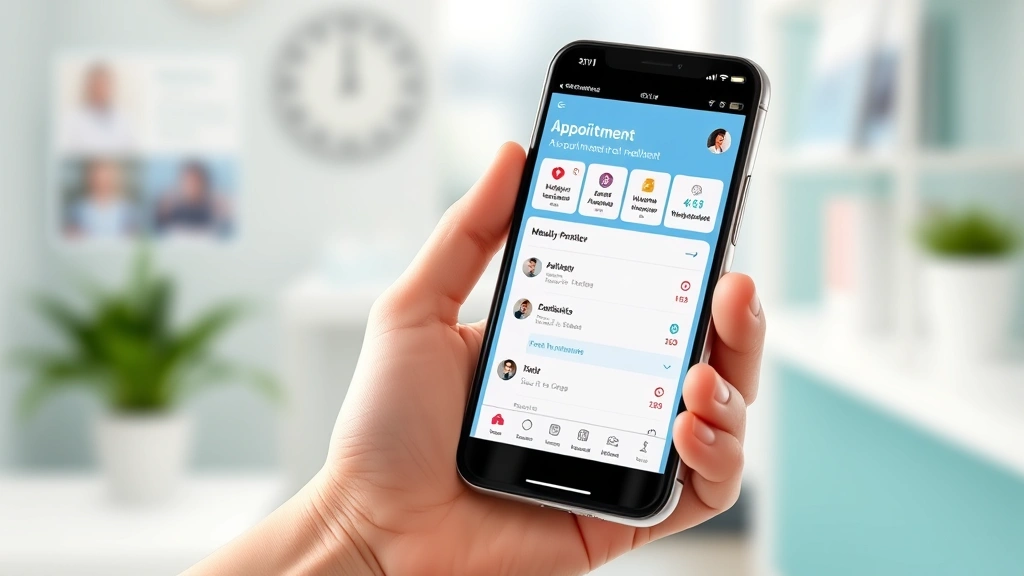
What Is Novant Health MyChart? A User’s Guide to Managing Your Healthcare
If you’ve recently received a patient portal login for Novant Health, you might be wondering what all the fuss is about. Novant Health MyChart isn’t just another app cluttering your phone—it’s genuinely one of the more user-friendly ways to take control of your medical information without having to call your doctor’s office at 8 AM on a Tuesday morning hoping someone picks up.
The reality is that modern healthcare can feel fragmented. You see your primary care physician, maybe a specialist or two, and suddenly you’re juggling appointment cards, test results scattered across different offices, and medication lists that might or might not be accurate. MyChart consolidates all of that into one accessible place. Whether you’re managing a chronic condition, preparing for surgery, or just trying to stay on top of routine care, understanding how to use this platform can significantly streamline your healthcare experience.
This guide walks you through everything you need to know about Novant Health MyChart—from the basics of getting started to maximizing its features for better health outcomes.
What Is Novant Health MyChart?
Novant Health MyChart is a patient portal—essentially a secure online gateway between you and your healthcare providers within the Novant Health system. Think of it as your personal healthcare command center. It’s built on Epic’s MyChart platform, one of the most widely used electronic health record systems in the United States, so if you’ve used MyChart at another healthcare system, you’ll recognize the interface.
The portal serves several critical functions. It allows you to view your medical records, schedule appointments, communicate with your care team, refill prescriptions, review test results, and track health metrics. More importantly, it puts you in the driver’s seat of your healthcare management rather than passively waiting for phone calls or mail.
For Novant Health patients across North Carolina, South Carolina, and Virginia, this platform represents a significant shift toward patient-centered care. Instead of requesting records or waiting for callbacks, you have 24/7 access to your health information. This accessibility is particularly valuable for people managing multiple conditions or those who prefer digital communication over phone calls.
Getting Started: Creating Your Account
Before you can access MyChart Novant Health, you need to set up your account. Here’s the straightforward process:
Step 1: Find Your Activation Code
When you schedule an appointment or register at a Novant Health facility, you’ll receive an activation code. This might come via email, mail, or in person. Don’t toss that piece of paper—you’ll need it. If you can’t locate your code, you can request one through the Novant Health website or by contacting your provider’s office directly.
Step 2: Visit the MyChart Portal
Head to the official Novant Health MyChart login page. Make sure you’re on the legitimate site and not a phishing attempt (check for the secure HTTPS connection and official Novant branding).
Step 3: Register Your Account
Click “Register” and enter your activation code along with basic information: date of birth, email address, and phone number. The system will verify this information against your medical records to ensure accuracy.
Step 4: Create Your Login Credentials
Choose a username and password. Your password should be strong—mixing uppercase and lowercase letters, numbers, and special characters. This isn’t just security theater; your health information is genuinely sensitive, and a weak password is an invitation for unauthorized access.
Step 5: Set Up Multi-Factor Authentication
I cannot stress this enough: enable multi-factor authentication. This adds an extra security layer by requiring a verification code sent to your phone or email whenever you log in from a new device. Yes, it takes an extra 30 seconds, but it’s worth the peace of mind.

Key Features and How to Use Them
Once you’re logged in, you’ll notice the dashboard displays several key sections. Understanding each one helps you navigate the platform efficiently.
The Dashboard Overview
Your home screen shows upcoming appointments, recent messages, outstanding action items, and sometimes health alerts. It’s designed to give you a quick snapshot of what needs your attention without overwhelming you with information.
The Menu Navigation
On the left side (or accessible via a menu button on mobile), you’ll find links to different sections: Appointments, Messages, Health Records, Medications, Results, and more. The layout is intuitive, though it can take a few visits to feel entirely comfortable navigating it.
If you’re comparing this to other patient portals, Atlantic Health MyChart and Essentia Health MyChart operate similarly, so if you’ve used those systems, you’ll recognize the general structure.
Managing Appointments and Scheduling
One of the most practical features of Novant Health MyChart is appointment management. Instead of playing phone tag with scheduling coordinators, you can often handle this yourself.
Viewing Your Appointments
Click on “Appointments” to see your scheduled visits. The calendar view shows dates, times, locations, and which provider you’re seeing. You can also view appointment details like whether you need to bring insurance cards or fill out paperwork beforehand.
Scheduling New Appointments
If your provider allows online scheduling, you can select an available time slot that works with your calendar. Not all appointments can be scheduled online—some require speaking with a coordinator—but many routine visits and follow-ups can be booked independently.
Canceling or Rescheduling
Need to reschedule? You can often do this through MyChart without calling. Just select the appointment and choose your new preferred time. However, cancellations have a 24-hour notice requirement in most cases, so don’t wait until the day before.
Appointment Reminders
You can enable notifications to remind you of upcoming appointments via email or text. This sounds basic, but it’s remarkably useful for preventing missed appointments.
Accessing Your Medical Records
Your complete medical record is stored within the system. This includes visit summaries, diagnoses, procedures, allergies, and immunization history.
Viewing Your Records
Under “Health Records” or “Medical Records,” you’ll find a comprehensive history of your care. You can filter by date range or type of record. This is particularly valuable when preparing for appointments with specialists who need context about your medical history.
Understanding Your Records
Medical records can include jargon and abbreviations that seem like a foreign language. Don’t hesitate to ask your provider to explain unclear entries. Many practices now offer patient-friendly summaries, and your provider can help clarify any confusing documentation.
Downloading and Sharing Records
You can download your records as PDF files and share them with other providers outside the Novant system. This is essential when seeing specialists who aren’t part of Novant or when seeking a second opinion.

Secure Messaging with Your Healthcare Team
The secure messaging feature is genuinely transformative for patient-provider communication. Instead of playing phone tag, you can send messages directly to your healthcare team.
How to Send a Message
Click on “Messages” and compose a new message to your provider or care team. Be clear and concise about what you’re asking. For example: “I’ve been experiencing increased joint pain in my left knee over the past week. Should I schedule an appointment?” is infinitely more useful than “My knee hurts.”
Response Times
Most providers aim to respond to messages within 24 business hours, though non-urgent messages might take longer. If you have an urgent concern, call your provider’s office directly rather than relying on messaging.
What Messaging Is Good For
Messaging works well for questions about medication side effects, clarification about test results, minor symptom concerns, and administrative questions. It’s not appropriate for emergencies—if you’re experiencing chest pain, severe difficulty breathing, or other emergency symptoms, call 911.
Message Organization
Your message history is organized chronologically and by conversation thread, making it easy to reference previous discussions with your healthcare team. This creates a useful documentation trail of your care conversations.
Prescription Management and Refills
Managing medications through MyChart streamlines what can otherwise be a frustrating process of calling pharmacies and waiting for callbacks.
Viewing Your Medications
The “Medications” section shows all active prescriptions, including dosage, frequency, and the prescribing provider. It also lists any discontinued medications, which is useful for keeping an accurate record of your pharmaceutical history.
Requesting Refills
If your prescription is eligible for refill, you can request one directly through MyChart. The system will send the request to your pharmacy and your provider for approval. Typically, you’ll receive confirmation within a few business days. This beats calling your pharmacy during their busy hours and leaving your name three times.
Checking Refill Eligibility
Not all prescriptions can be refilled indefinitely—controlled substances, for example, often require a new prescription. MyChart will clearly indicate which medications are eligible for refill and which require a new prescription from your provider.
Medication Alerts
The system alerts you to potential drug interactions or concerning side effects. While these aren’t substitutes for professional medical advice, they’re useful safety features that catch potential problems.
Health Tracking and Wellness Tools
Beyond managing appointments and medications, MyChart includes wellness features that encourage proactive health management.
Viewing Test Results
Lab results, imaging reports, and other diagnostic findings appear in your MyChart account, often before your provider’s office calls with results. You can view numerical values, reference ranges, and detailed reports. According to Mayo Clinic, understanding your test results is an important part of managing your health.
Tracking Health Metrics
Some versions of MyChart allow you to manually enter health metrics like blood pressure, weight, or blood glucose readings. If you have a compatible wearable device, you might be able to sync data directly. This information helps your provider identify trends and adjust treatment plans accordingly.
Immunization Records
Your vaccination history is documented in the system. You can easily access this for school requirements, travel planning, or personal reference. This centralized record eliminates the need to track down old vaccination cards.
Health Maintenance Reminders
MyChart can alert you when you’re due for preventive care like screenings, vaccinations, or routine physicals. These reminders help ensure you stay current with recommended health maintenance.
Security and Privacy Considerations
Your health information is among the most sensitive personal data you possess. Understanding MyChart’s security features and your responsibilities is crucial.
HIPAA Protection
MyChart operates under HIPAA (Health Insurance Portability and Accountability Act) regulations, which legally protect your health information. HHS HIPAA resources provide detailed information about your privacy rights.
Encryption and Data Protection
All data transmitted through MyChart is encrypted using industry-standard protocols. This means your information is secure when traveling between your device and Novant’s servers. However, you’re responsible for maintaining the security of your device and login credentials.
Account Security Best Practices
Never share your login credentials, even with family members. Instead, set up their own accounts with appropriate access levels. Change your password periodically, especially if you use the same password for multiple accounts. Be cautious about using MyChart on public WiFi networks—consider using a VPN for added security.
Privacy of Shared Information
When you message your provider or share information through MyChart, that information becomes part of your medical record and is subject to the same privacy protections and potential disclosures as information shared in person. Be mindful about what you share, especially regarding sensitive personal matters.
Third-Party Access
If you grant access to family members or caregivers, you control what information they can see. You can adjust permissions at any time, which is particularly important if circumstances change.
Troubleshooting Common Issues
Even user-friendly platforms occasionally present challenges. Here are solutions to common problems.
Forgotten Password
Click “Forgot Password” on the login screen. You’ll receive an email with instructions to reset it. If you don’t receive the email, check your spam folder or contact your provider’s MyChart support team.
Account Lockout
After multiple incorrect login attempts, your account temporarily locks for security purposes. Wait 15-30 minutes and try again, or contact support to unlock it immediately.
Activation Code Issues
If your activation code isn’t working, verify you’ve entered it correctly (they’re case-sensitive). If it still doesn’t work, contact your provider’s office—they can resend the code or troubleshoot the issue.
Messages Not Sending
Ensure you’ve selected a recipient and that your message contains actual content. If the problem persists, try logging out and back in, or access MyChart from a different browser.
Mobile App Problems
If the MyChart app is acting sluggish or buggy, try clearing the app cache, updating to the latest version, or reinstalling it entirely. Sometimes the web version works better than the app during technical glitches.
Missing Information
If you notice missing appointment records, test results, or medication information, contact your provider’s office. Information might be delayed in syncing, or it might need to be manually added by staff.
If you’re interested in working within healthcare systems, Novant Health Careers offers opportunities to join their team. Additionally, if you want to compare experiences, you might explore how My Bellin Health operates as another healthcare portal.
Frequently Asked Questions
Is MyChart available on mobile devices?
Yes, Novant Health MyChart is available as an app on iOS and Android devices, as well as through a mobile-responsive website. The app offers the same functionality as the desktop version with the convenience of access from anywhere.
Can I share my medical records with another doctor?
Absolutely. You can download your records as PDFs and email them, or some providers accept records directly through electronic transfer. MyChart makes this process significantly easier than requesting paper copies.
What if I don’t have internet access?
While MyChart is designed as an online platform, you can always contact your provider’s office by phone to access the same services. However, most communities now have public WiFi access at libraries and other public spaces if needed.
How long is my data stored in MyChart?
Novant Health maintains your records according to state and federal regulations, typically for a minimum of 6-10 years depending on your age and the type of record. Even after you stop using MyChart, your records remain available.
Can I use MyChart if I have multiple providers at Novant?
Yes, your single MyChart account encompasses all your care within the Novant system. You can see appointments with different providers, messages from various care team members, and records from all your visits in one place.
What should I do if I suspect unauthorized access to my account?
Change your password immediately and contact Novant Health’s support team. They can review your account activity and help secure it. If you suspect identity theft, consider placing a fraud alert with credit bureaus.
Are there any costs associated with using MyChart?
No, MyChart is a free service included with your Novant Health care. There are no subscription fees or usage charges.
Can I request prescription refills at any time?
You can submit refill requests anytime, but they’re processed during business hours. Requests submitted after hours or on weekends will be processed the next business day. Plan ahead to avoid running out of medications.
How do I know if my message to my provider was received?
MyChart confirms that your message was sent. You’ll see it in your message history with a timestamp. Providers typically acknowledge receipt within 24 business hours, though complex questions might take longer to answer.
Can family members access my MyChart account?
Not with your password. Instead, you can grant them proxy access through MyChart’s settings, which allows you to control exactly what information they can view. This is particularly useful for parents managing children’s care or adult children helping aging parents.