
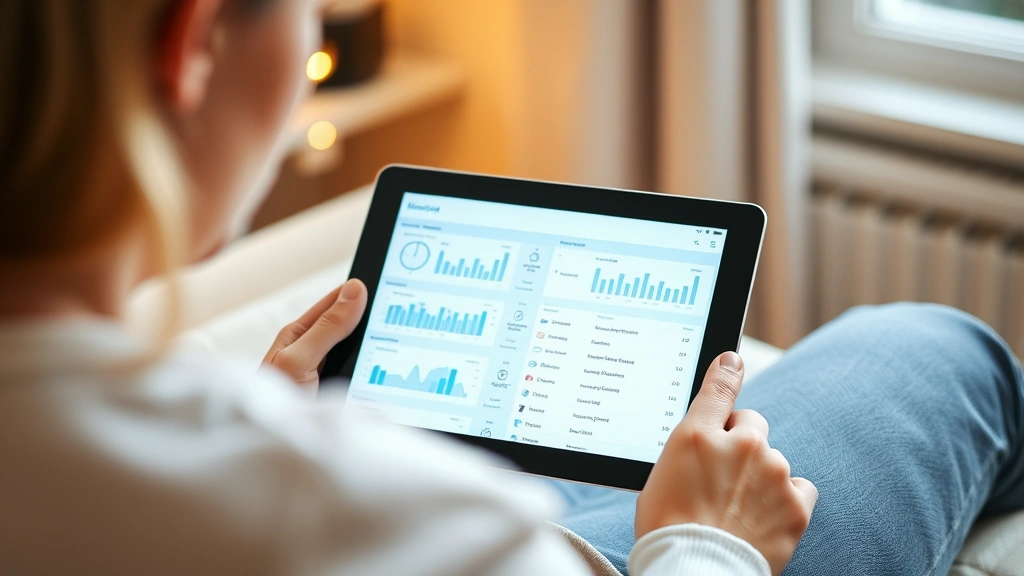
What Is First Health My Chart? Expert Guide to Your Digital Health Portal
If you’re a First Health patient wondering how to access your medical records, test results, and appointment information online, you’ve landed in the right place. First Health My Chart is your personal gateway to healthcare management—a digital portal that puts your health information directly in your hands, accessible 24/7 from virtually any device with an internet connection.
In today’s fast-paced world, waiting for phone calls from your doctor’s office or playing phone tag to get lab results feels archaic. My Chart changes that equation entirely. Whether you need to refill a prescription, message your healthcare provider, or review your latest test results, this platform streamlines the entire experience. But what exactly is it, and how can you make the most of it? Let’s break it down.
This comprehensive guide walks you through everything you need to know about First Health My Chart—from understanding its core features to troubleshooting common issues and maximizing its potential for your health journey.
What Is First Health My Chart?
First Health My Chart is a patient portal developed by First Health, a healthcare organization serving patients across multiple states. Think of it as your personal health command center—a secure online platform where you can view, manage, and engage with your healthcare information without having to call your doctor’s office or wait for mail-in statements.
The portal is built on Epic’s MyChart technology, which is one of the most widely used electronic health record (EHR) systems in the United States. This means First Health My Chart operates with the same trusted infrastructure that powers healthcare systems nationwide, ensuring consistency and reliability for millions of patients.
At its core, My Chart serves three fundamental purposes: information access, communication, and convenience. Rather than being a passive recipient of healthcare, you become an active participant in your medical care. You’re not waiting around wondering about test results—you can check them the moment they’re available. You’re not scrambling to remember medication details—they’re organized in one secure location.
Key Features and Functionalities
Understanding what First Health My Chart can do for you is essential to leveraging its full potential. The platform isn’t just a simple information repository; it’s a multifunctional tool designed to enhance your entire healthcare experience.
Real-Time Health Information Access
One of the most powerful features is immediate access to your medical records. Lab results, imaging reports, vital signs, and clinical notes appear in your portal often before your doctor’s office even calls to discuss them. This real-time transparency means you’re never left wondering about your health status.
Comprehensive Medication Management
Your medication list is meticulously maintained within the portal, showing current prescriptions, dosages, frequencies, and even refill history. This is particularly valuable if you see multiple providers—everyone accessing your chart sees the same medication information, reducing the risk of dangerous drug interactions.
Appointment Scheduling and Reminders
Skip the phone tag game entirely. Many First Health locations allow you to schedule appointments directly through My Chart. You’ll receive automatic reminders before your visits, and you can even check in for appointments through the platform at participating facilities.
Secure Provider Communication
Need to ask your doctor a question that doesn’t require an emergency room visit? The secure messaging feature lets you send questions directly to your healthcare team, and they typically respond within 24 business hours. It’s like having email with your doctor, but more formal and documented.
Health Records Consolidation
If you’ve received care at multiple First Health facilities, My Chart consolidates all your records in one location. No more digging through old folders or trying to remember which hospital you had which procedure at.

Getting Started: Account Setup
Setting up your First Health My Chart account is straightforward, though the exact process may vary slightly depending on your healthcare facility. Here’s the typical workflow:
- Visit the First Health My Chart login page and select “Don’t have an account?” or “Register.”
- Provide your personal information including your name, date of birth, and either your patient ID or a recent appointment date.
- Verify your identity through one of several methods—typically email verification, phone verification, or security questions.
- Create your login credentials with a strong password (at least 8 characters, mixing uppercase, lowercase, numbers, and symbols).
- Set up multi-factor authentication for enhanced security—this adds an extra layer of protection to your account.
- Review and accept the terms of service and privacy policies.
The entire process usually takes fewer than 10 minutes. Once activated, you’ll have immediate access to your health information. Some patients receive an activation code or link via email from their healthcare provider, which can expedite the process further.
If you’re having trouble activating your account, don’t hesitate to contact your healthcare provider’s patient support line. They can verify your information and help troubleshoot any registration issues.
Accessing Your Medical Records
Your medical records within First Health My Chart are organized logically and searchable, making it easy to find exactly what you need. Here’s what you’ll typically find:
Lab Results and Test Reports
Results appear in your portal as soon as they’re finalized and reviewed by your provider. You’ll see the actual values, reference ranges, and often interpretive comments. This transparency helps you understand what the numbers actually mean for your health.
Clinical Notes
Visit summaries and clinical notes from your appointments are available for review. These document what was discussed, what was examined, and what the provider’s assessment and plan are moving forward. Reading these notes helps reinforce what was discussed during your visit and clarifies any points you might have forgotten.
Imaging and Diagnostic Reports
Reports from X-rays, MRIs, CT scans, and ultrasounds are available with their interpretations. While you won’t see the actual images in most cases (those require specialized viewing software), you’ll have access to the radiologist’s detailed findings.
Vaccination Records
Your immunization history is maintained in the portal, making it easy to verify which vaccines you’ve received and when. This is particularly useful when traveling internationally or during health screenings.
Problem Lists and Chronic Condition Management
Your documented medical conditions are listed in the portal, giving you a clear overview of what your healthcare team is actively managing. This is especially helpful if you have multiple chronic conditions and want to stay organized.
Understanding what similar platforms like Novant Health My Chart offer can give you perspective on industry standards. Many healthcare systems use comparable features, though specific functionality varies by organization.
Secure Messaging with Providers
The secure messaging feature is where First Health My Chart truly shines for patient-provider communication. Unlike texting or email, these messages are encrypted, documented in your medical record, and legally protected.
When to Use Secure Messaging
This feature is ideal for non-urgent questions: clarifying medication instructions, asking about test results, requesting prescription refills, or discussing minor symptoms. However, if you’re experiencing a medical emergency, chest pain, severe difficulty breathing, or other acute symptoms, call 911 or go to the emergency room immediately.
Response Time Expectations
Most providers commit to responding within one business day, though many respond much faster. Messages sent during weekends or holidays may take longer to receive responses. Your provider’s office will indicate their typical response time in their profile.
Message Organization
Messages are organized by conversation threads, making it easy to follow the progression of a discussion over time. You can search past messages and reference previous conversations with your provider.
Privacy Considerations
Remember that secure messages become part of your permanent medical record. Keep messages professional and focused on your health. Avoid sharing sensitive personal information unrelated to your care.
If you’re curious about how other healthcare systems handle provider communication, exploring resources like MyChart Novant Health can provide additional insights into best practices across different organizations.
Appointment Management and Scheduling
Managing your healthcare appointments through First Health My Chart streamlines your scheduling experience significantly.
Viewing Upcoming Appointments
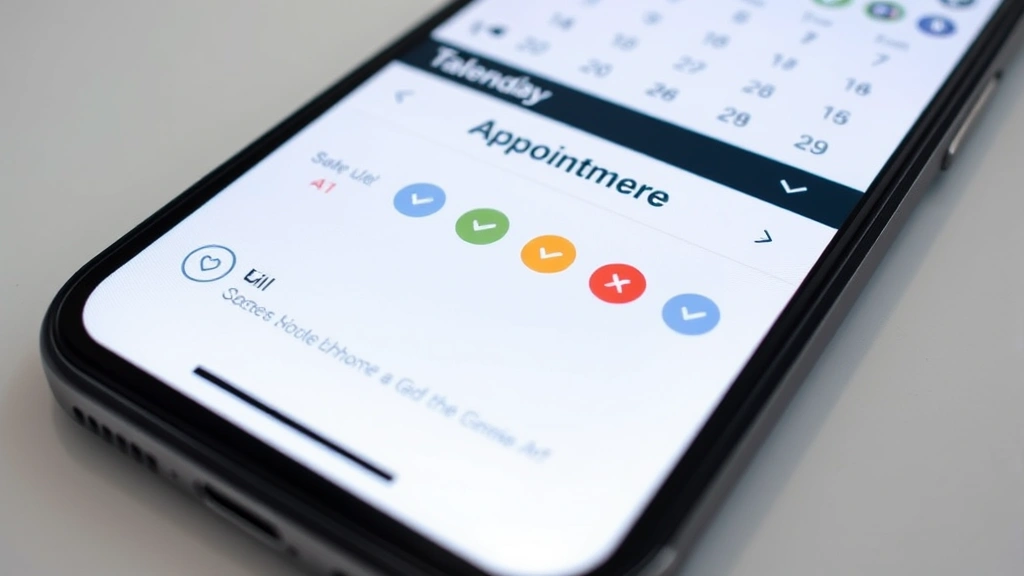
Your scheduled appointments appear on a calendar view within the portal. You’ll see the date, time, provider name, location, and appointment type. You can add these appointments to your personal calendar with a single click.
Self-Service Appointment Scheduling
At many First Health locations, you can browse available appointment slots and book directly through My Chart without calling. The system shows real-time availability, eliminating the back-and-forth of phone scheduling.
Pre-Visit Preparation
Some providers use My Chart to send pre-visit questionnaires. Completing these before your appointment saves time during your visit and ensures the provider has important background information. You might be asked about new symptoms, medication changes, or health history updates.
Check-In Functionality
At participating facilities, you can check in for your appointment through the portal before arriving. This reduces wait time and ensures the staff knows you’re en route.
Appointment Reminders
You’ll receive automatic reminders via email or text message before your scheduled appointments. These reminders include important details like where to go, what to bring, and parking information.
Cancellation and Rescheduling
Need to cancel or reschedule? You can do this directly through My Chart without calling, though some providers may require phone contact for certain appointment types.
Prescription Refills and Medication Management
Managing your medications through First Health My Chart adds another layer of convenience to your healthcare routine.
Requesting Prescription Refills
Rather than calling your pharmacy and waiting for them to contact your doctor, you can request refills directly through My Chart. Your request goes straight to your provider for approval, and they typically respond within one business day. Once approved, the prescription is sent to your pharmacy automatically.
Medication List Organization
Your complete medication list is maintained in one place, showing all current prescriptions with dosages, frequencies, and indications. This is invaluable information to have readily available, especially if you’re seeing multiple providers.
Medication Interactions and Alerts
First Health My Chart’s system automatically checks for potential drug interactions. If you’re prescribed something that might interact with your current medications, your provider will be alerted before the prescription is finalized.
Pharmacy Integration
Many pharmacies are integrated with First Health My Chart, allowing seamless communication about your prescriptions. You can sometimes see when your prescription is ready for pickup and refill status.
Over-the-Counter Medication Tracking
While not automatically populated, you can manually add over-the-counter medications and supplements to your medication list. This ensures your provider has a complete picture of everything you’re taking, which is crucial for identifying potential interactions.
Understanding how different healthcare systems manage medications, such as Spectrum Health MyChart or Texas Health MyChart, shows that medication management is a priority across the industry.
Security and Privacy Considerations
Your health information is among the most sensitive data you possess. First Health My Chart implements multiple layers of security to protect your privacy and comply with healthcare privacy regulations.
Encryption Technology
All data transmitted between your device and First Health’s servers is encrypted using industry-standard SSL/TLS protocols. This means your information is unreadable to anyone intercepting the connection.
Multi-Factor Authentication
We strongly recommend enabling multi-factor authentication on your account. This requires a second form of verification (typically a code sent to your phone) in addition to your password, making unauthorized access significantly more difficult.
Password Security Best Practices
Create a strong, unique password for your My Chart account. Avoid using the same password across multiple websites. Consider using a password manager to generate and store complex passwords securely.
Session Timeout
First Health My Chart automatically logs you out after a period of inactivity (typically 15-30 minutes). This prevents unauthorized access if you forget to log out on a shared device.
HIPAA Compliance
First Health operates under strict HIPAA regulations that govern how patient information is protected, used, and disclosed. Your information cannot be shared without your explicit consent, except in limited circumstances defined by law.
Data Breach Notification
In the unlikely event of a data breach, First Health is legally required to notify you and provide information about protecting yourself. Healthcare organizations take these obligations seriously.
Accessing Your Account on Shared Devices
If you access My Chart on a shared computer (like a library or family computer), always log out when finished. Consider using private browsing mode for additional security. Never save your password in the browser.
Third-Party App Integration
Be cautious when connecting third-party health apps to your My Chart account. Only authorize apps from trusted developers, and review what information you’re granting access to.
Troubleshooting Common Issues
Even with well-designed platforms, occasional issues arise. Here’s how to address common First Health My Chart problems:
Cannot Log In or Forgot Password
Click “Forgot Password?” on the login screen. You’ll receive an email with instructions to reset your password. Check your spam folder if you don’t see the email within a few minutes. If you’re still having trouble, contact your healthcare provider’s patient support line.
Account Activation Issues
If you’re having trouble activating your account, verify that the information you’re entering matches exactly what’s in First Health’s system. Call your provider’s office to confirm your patient ID and date of birth.
Missing Medical Records
Records typically appear in My Chart within 24 hours of being finalized. If records are missing after this timeframe, contact your provider’s office to ensure they’ve been uploaded to the system.
Slow Loading or Technical Glitches
Clear your browser’s cache and cookies, then try again. If the problem persists, try a different browser or device. Most technical issues resolve themselves quickly, but persistent problems warrant a call to technical support.
Message Not Received by Provider
Verify that you’ve selected the correct provider before sending your message. Check your “Sent” folder to confirm the message was actually sent. If it shows as sent but you haven’t received a response after 24 hours, follow up with a phone call.
Prescription Refill Not Processing
Some medications cannot be refilled through My Chart and require a new prescription from your provider. Controlled substances and certain other medications fall into this category. If your refill isn’t processing, call your pharmacy to ask if they’ve received the request from your provider.
Mobile App Issues
If you’re experiencing problems with the My Chart mobile app, try uninstalling and reinstalling it. Ensure your device’s operating system is up to date. Clear the app’s cache through your device’s settings.
Comparing with Other Health Portals
While First Health My Chart is excellent, understanding how it compares to other healthcare system portals provides valuable perspective. Many healthcare organizations use Epic’s MyChart technology, creating consistency across platforms, though specific features and branding differ.
Systems like Novant Health My Chart and Spectrum Health MyChart share similar core functionality—secure messaging, appointment scheduling, prescription refills, and records access. However, each organization customizes the experience based on their specific needs and patient population.
Texas Health MyChart represents another example of how the same underlying technology is implemented across different healthcare systems. The fundamental features remain consistent, but the user interface, integration capabilities, and additional services vary.
If you’re considering a career in healthcare administration or interested in how these systems are built and maintained, exploring health information management jobs provides insight into the professionals who keep these platforms running smoothly.
The consistency across platforms means that once you’re comfortable with First Health My Chart, navigating other healthcare portals becomes significantly easier. The principles and general layout are remarkably similar.
Maximizing Your First Health My Chart Experience
To truly benefit from First Health My Chart, adopt these best practices:
Check Regularly for Updates
Make it a habit to check your portal weekly, or at minimum after each healthcare visit or lab test. The sooner you review results, the sooner you can follow up with questions if needed.
Keep Your Information Current
Update your contact information, emergency contacts, and medication list whenever changes occur. Accurate information ensures better communication and safer care.
Use Secure Messaging Proactively
Don’t wait for problems to arise. Use the messaging feature to ask preventive questions, discuss health goals, and maintain ongoing communication with your healthcare team.
Download or Print Important Documents
Keep copies of important documents like vaccination records, medication lists, and recent lab results. These are valuable if you need to see a provider outside the First Health system.
Set Up Mobile Alerts
Enable notifications for new lab results, appointment reminders, and messages from your provider. These alerts keep you informed in real-time.
Explore Educational Resources
Many healthcare portals include educational materials about conditions, medications, and wellness. Take advantage of these resources to better understand your health.
Share Access Carefully
Some portals allow you to grant access to family members or caregivers. If you do this, be selective about what information you share and with whom.
Patient Empowerment Through Digital Health
First Health My Chart represents a broader shift toward patient empowerment in healthcare. Rather than being passive recipients of care, patients are becoming active participants in their health management. This shift has real health benefits.
Research from the National Institutes of Health demonstrates that patients who actively engage with their health information through patient portals have better health outcomes, improved medication adherence, and higher satisfaction with their care.
When you have immediate access to your health information, you’re more likely to notice patterns, ask informed questions, and take an active role in decision-making about your care. This engagement leads to better health outcomes and a more collaborative relationship with your healthcare providers.
Digital health tools like My Chart also reduce administrative burden on healthcare staff, allowing them to focus on direct patient care rather than answering routine information requests. This efficiency benefits everyone in the healthcare ecosystem.
Frequently Asked Questions
Is First Health My Chart secure?
Yes, First Health My Chart employs multiple security measures including encryption, multi-factor authentication, and HIPAA compliance. Your health information is protected by the same standards governing all healthcare providers. However, security also depends on your actions—use strong passwords, enable multi-factor authentication, and log out on shared devices.
Can I access My Chart on my phone?
Absolutely. First Health offers a mobile app available on both iOS and Android devices. You can also access the portal through your phone’s web browser. The mobile app provides convenient access to your health information on the go.
What if my provider hasn’t responded to my message?
Most providers respond within one business day. If you’ve waited longer and haven’t heard back, follow up with a phone call to your provider’s office. Some messages may get overlooked, and a quick call ensures your question gets attention.
Can I request medical records through My Chart?
Many healthcare systems allow records requests through their portals, but First Health may have specific procedures. Check your portal or contact your provider’s office directly. You have the legal right to request copies of your medical records.
How far back do my medical records go in My Chart?
Records typically go back several years, though this varies depending on how long you’ve been a First Health patient and when the system was implemented at your facility. Older records may not be digitized.
What should I do if I find an error in my medical record?
Contact your provider’s office immediately to report the error. You have the right to request corrections to inaccurate information in your medical record. Your provider can submit an amendment to the record.
Can I share my My Chart information with another healthcare provider?
Yes. Most portals allow you to print, download, or send your records to other providers. Some systems have direct electronic health record exchange capabilities. Contact your provider’s office about the best way to share your information.
Is there a cost to use First Health My Chart?
No, patient portal access is typically included with your healthcare services at no additional cost. It’s considered a standard part of modern healthcare delivery.
What if I don’t have internet access?
Contact your healthcare provider’s office. They can print records for you or arrange alternative ways to access your information. Healthcare providers have obligations to provide access to your records regardless of your internet connectivity.
Can my family members access my My Chart account?
By default, only you can access your account. However, you may be able to grant limited access to family members or caregivers. Check your portal settings or contact your provider to learn about proxy access options.
What happens if I forget to log out?
The system automatically logs you out after a period of inactivity (typically 15-30 minutes). This prevents unauthorized access even if you forget to manually log out. However, for security on shared devices, it’s still best practice to manually log out.
Can I delete my My Chart account?
You typically cannot delete your account, as it’s tied to your medical record with the healthcare provider. However, you can contact your provider’s office if you have concerns about your account or want to discuss privacy options.
Conclusion: Taking Control of Your Healthcare
First Health My Chart is more than just a convenient tool—it’s your personal healthcare dashboard, giving you unprecedented access to your medical information and enabling direct communication with your healthcare team. In a healthcare landscape that’s increasingly complex and fast-paced, having this level of access and control is invaluable.
Whether you’re managing a chronic condition, recovering from a recent procedure, or simply maintaining preventive health, My Chart supports your health goals by providing transparency, convenience, and security. The platform empowers you to be an informed, engaged participant in your healthcare rather than a passive observer.
Start by setting up your account if you haven’t already, explore the various features, and make My Chart a regular part of your healthcare routine. The more you use it, the more you’ll appreciate how it streamlines communication with your healthcare team and puts your health information at your fingertips.
Your health is one of your most valuable assets. Tools like First Health My Chart help you protect it, manage it effectively, and engage with your healthcare providers in more meaningful ways. Take advantage of this powerful resource, and watch how it transforms your healthcare experience.