
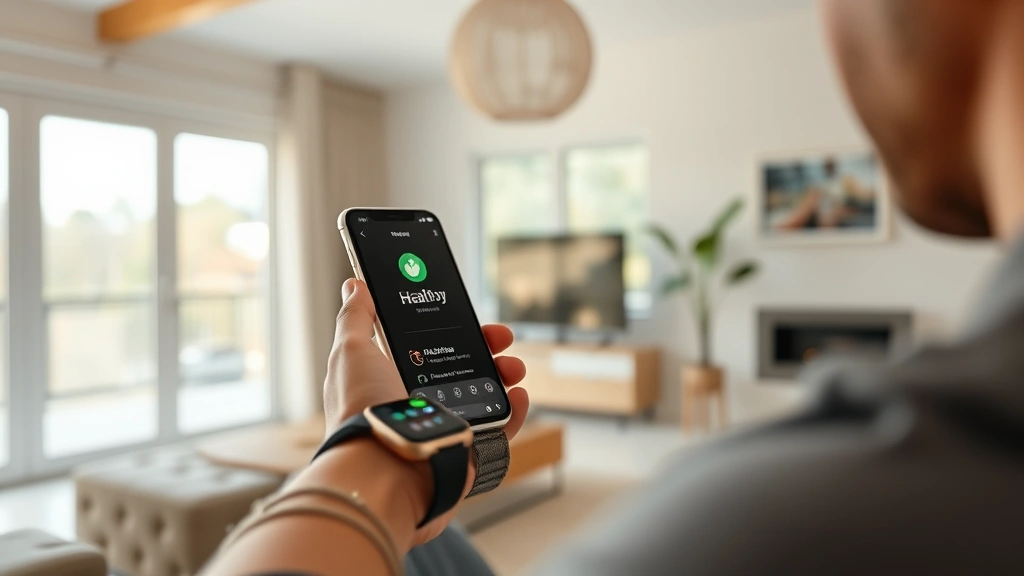
Sync Wearable Steps to Apple Health: The Complete Guide to Seamless Fitness Tracking
In today’s health-conscious world, wearable devices have become indispensable companions for tracking our daily activity. Whether you’re wearing a smartwatch, fitness band, or dedicated step counter, the ability to sync wearable steps to Apple Health transforms fragmented data into a comprehensive health dashboard. This integration creates a unified ecosystem where all your fitness metrics—steps, distance, calories burned, and more—converge in one intuitive platform.
Apple Health serves as the central hub for your wellness journey, aggregating data from multiple sources to give you a 360-degree view of your physical activity. By connecting your wearable device, you unlock powerful insights about your movement patterns, establish meaningful goals, and track progress toward a healthier lifestyle. Whether you’re just beginning your fitness journey or optimizing an established routine, understanding how to properly synchronize your devices ensures you capture every step and maximize the value of your health data.
Table of Contents
- Why Sync Your Wearable to Apple Health
- Compatible Wearable Devices
- Step-by-Step Syncing Instructions
- Troubleshooting Common Issues
- Maximizing Your Health Data
- Frequently Asked Questions
[IMAGE_1]
Why Sync Your Wearable to Apple Health
Synchronizing your wearable device to Apple Health isn’t merely a technical convenience—it’s a strategic decision that amplifies your wellness potential. When you consolidate your fitness data, you gain unprecedented visibility into your daily movement patterns, making it easier to identify trends and celebrate achievements. This integration supports stress reduction through consistent physical activity, as regular movement is scientifically proven to lower cortisol levels.
The unified approach to health tracking enables you to correlate your step count with other vital metrics. Apple Health automatically captures relationships between your daily steps, heart rate variability, sleep quality, and mood—all essential components of holistic wellness. By maintaining accurate records within Apple Health, you create a valuable health history that you can share with healthcare providers, fitness coaches, or wellness professionals who can offer personalized recommendations.
Beyond personal insight, syncing wearables to Apple Health empowers you to set realistic, data-driven goals. Instead of guessing whether you’re active enough, you have concrete evidence of your movement patterns. This accountability mechanism transforms vague aspirations into measurable objectives, significantly increasing your likelihood of maintaining consistent physical activity—a cornerstone of healthy aging.
Compatible Wearable Devices for Apple Health Sync
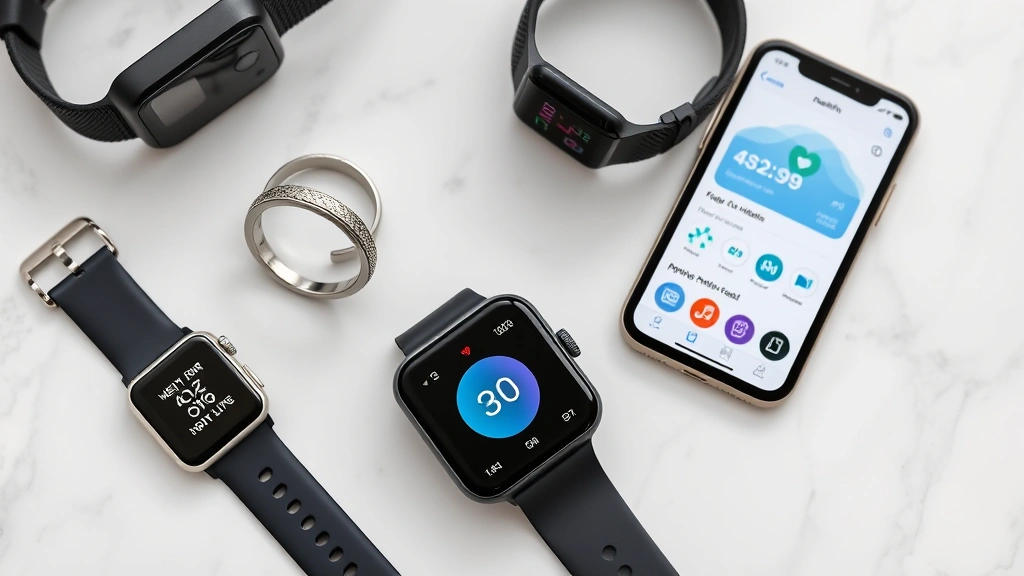
Apple Health’s strength lies in its compatibility with an extensive ecosystem of wearable devices. Understanding which devices seamlessly integrate with Apple Health ensures you invest in technology that aligns with your health tracking goals.
Apple’s Native Devices: Apple Watch (Series 3 and newer) offers the most seamless integration, automatically syncing steps, distance, active energy, and heart rate data throughout the day. The Apple Watch doesn’t require manual setup—simply wear it and data flows directly to Apple Health on your paired iPhone.
Third-Party Fitness Trackers: Leading manufacturers including Fitbit, Garmin, Oura Ring, Withings, and Polar have developed direct Apple Health integration. These devices sync step data, allowing you to maintain your preferred wearable while benefiting from Apple Health’s comprehensive ecosystem. Wareable provides comprehensive reviews of compatible fitness devices, helping you identify which wearables best suit your needs.
Health Apps and Platforms: Beyond physical wearables, popular fitness apps like Strava, MyFitnessPal, and Runtastic connect to Apple Health, enabling step synchronization regardless of your device choice. This flexibility means you’re never locked into a single ecosystem.
The key consideration when selecting a wearable is verifying direct Apple Health integration. While some devices require workarounds or third-party apps to sync data, the most reliable options offer native connections that ensure real-time or near-real-time data transfer.
Step-by-Step Instructions to Sync Wearable Steps to Apple Health
For Apple Watch Users
Apple Watch users enjoy the most straightforward syncing experience. Your steps automatically transfer to Apple Health once your watch is properly paired with your iPhone.
- Ensure your Apple Watch and iPhone are paired through the Apple Watch app
- On your iPhone, open the Apple Watch app
- Navigate to Privacy and verify Motion & Fitness is enabled
- Return to Health settings and confirm Apple Watch is selected as a data source
- Open the Health app on your iPhone to verify steps are appearing in your activity dashboard
- Sync occurs automatically when your watch and phone are in range and connected via Bluetooth
For Third-Party Wearables (Fitbit Example)
Most third-party devices require downloading their companion app, which then integrates with Apple Health.
- Download the wearable manufacturer’s app (Fitbit, Garmin, Withings, etc.) from the App Store
- Create or log into your account within the manufacturer’s app
- Pair your physical wearable device following the app’s setup instructions
- Navigate to the app’s Settings or Connected Apps section
- Select Apple Health and choose Enable or Connect
- Grant permission when prompted to allow the app to write step data to Apple Health
- Select which health metrics you want synced (steps, distance, calories, etc.)
- Confirm the connection by returning to Apple Health and verifying data appears in your activity summary
Verifying Successful Sync
After completing setup, verify your wearable is properly syncing by opening Apple Health and navigating to the Summary tab. Your today’s step count should display prominently. Check the Data Sources & Access section to confirm your wearable appears as an active source. Most devices sync data every 15-30 minutes when actively worn and your phone is nearby.

Troubleshooting Common Syncing Issues
Even with straightforward setup, occasional syncing problems may arise. Understanding common issues and their solutions ensures your health data remains continuously captured.
Data Not Appearing in Apple Health: First, verify the wearable manufacturer’s app is installed and updated to the latest version. Check that you’ve granted Apple Health permission to receive data by going to Settings → Privacy → Health and confirming the app is enabled. Force-close both the manufacturer’s app and Apple Health, then reopen them. If problems persist, sign out of the manufacturer’s app and sign back in to reinitialize the connection.
Intermittent Syncing: Inconsistent data transfer typically results from Bluetooth connectivity issues. Ensure your wearable maintains consistent proximity to your iPhone. Restart both devices—remove your watch or wearable from Bluetooth pairing, restart your iPhone, then re-pair the devices. Check that your iPhone’s Bluetooth is enabled and not connected to multiple devices simultaneously, which can cause connection drops.
Duplicate Data Entries: If steps appear multiple times, you likely have multiple apps syncing to Apple Health simultaneously. Open Health → Data Sources & Access and review which apps have write access to step data. Disable write access for all but your primary tracking app. This prevents conflicting data from creating inaccurate totals.
Delayed Sync: Apple Health typically updates every 15-30 minutes, not in real-time. This is normal behavior. However, if data hasn’t updated within an hour, toggle your wearable’s Bluetooth off and on, or manually sync through the manufacturer’s app if that option is available.
Apple Watch Specific Issues: If your Apple Watch isn’t syncing, confirm watchOS is updated to the latest version. Open the Watch app on your iPhone, go to General → About and check the version number. Update if necessary. Unpair your watch completely (Settings → Bluetooth → Apple Watch → Forget This Device) and re-pair it fresh, which often resolves persistent syncing problems.
Maximizing Your Health Data: Beyond Simple Step Counting
Once you’ve successfully established wearable-to-Apple Health synchronization, the real opportunity lies in leveraging this data for meaningful lifestyle improvements. Your step data becomes most valuable when contextualized within your broader health picture.
Establishing Meaningful Goals: Rather than arbitrarily aiming for 10,000 steps daily, analyze your current baseline through Apple Health. Review your average steps over two weeks, then increase by 10-15% as your target. This data-driven approach creates achievable yet challenging goals that drive continuous improvement. Wellness professionals in the health and wellness jobs sector emphasize that personalized, evidence-based goals dramatically increase adherence.
Identifying Activity Patterns: Apple Health’s trend analysis reveals when you’re most active—morning walks, lunch-hour exercise, or evening strolls. Understanding your natural patterns allows you to optimize timing for maximum consistency. Some people thrive with morning movement, while others find evening activity more sustainable. Your data reveals your authentic rhythm.
Correlating Steps with Sleep and Stress: Advanced health tracking connects physical activity with sleep quality and stress levels. Notice whether high-step days correlate with better sleep that night, or if you sleep worse on very active days. Similarly, observe whether consistent daily movement reduces stress markers. This holistic view informs more intelligent lifestyle adjustments. Improving sleep hygiene through movement timing becomes personalized when grounded in your actual data.
Sharing Data with Healthcare Providers: Apple Health enables you to export detailed health reports that you can share with doctors, cardiologists, or fitness professionals. This objective data facilitates more informed conversations about your health status and enables providers to offer better-tailored recommendations. Particularly for individuals managing chronic conditions, consistent step data provides valuable context for medical decisions.
Leveraging Trends and Insights: Apple Health provides automated insights highlighting your activity trends. Pay attention to notifications indicating you’ve increased activity or achieved weekly milestones. These micro-celebrations build momentum and reinforce positive behavior patterns. Apple’s health research initiatives demonstrate how detailed activity tracking contributes to better health outcomes.
Frequently Asked Questions
Can I sync multiple wearable devices to Apple Health simultaneously?
Yes, Apple Health supports multiple data sources. However, if multiple devices track the same metric (like steps), you may see duplicate data. To avoid this, designate one primary device for step tracking and disable write access for secondary devices. This prevents inflated activity numbers while maintaining flexibility to switch between devices.
Does syncing wearable data to Apple Health drain my iPhone battery?
Wearable syncing has minimal battery impact on your iPhone. The data transfer occurs via Bluetooth during periodic sync intervals, consuming negligible power. Your iPhone’s battery drain is far more influenced by screen usage, location services, and background app refresh than by health data synchronization.
Is my health data secure when synced to Apple Health?
Apple Health data remains encrypted on your device and is not transmitted to Apple’s servers unless you explicitly enable iCloud sync for health data. You control which apps access your health information through Privacy settings. For maximum security, review Data Sources & Access regularly and revoke permissions for apps you no longer use.
Why does my step count seem inaccurate compared to my wearable?
Different devices use different algorithms to calculate steps, resulting in minor variations. Apple Watch, Fitbit, and Garmin may count slightly differently based on their motion detection technology. These variations are typically 5-10% and normalize over longer periods. Focus on trends rather than absolute accuracy—consistency matters more than perfection.
Can I manually edit step data in Apple Health?
Yes, you can manually add or edit health data. Open the Health app, select a metric, tap the data point, and choose Edit. However, avoid regularly editing data from automatic sources, as this creates inconsistencies. Manual entry is best reserved for activities your wearable missed or special circumstances.
What happens if I switch wearable devices?
Your historical data remains in Apple Health even when you change devices. Simply disconnect the old wearable’s app and connect your new device through its companion app. Apple Health will continue tracking steps from your new device without losing previous data, providing continuous history across device changes.
How often does Apple Health update step data?
Most wearables sync with Apple Health every 15-30 minutes when actively worn and your phone is nearby. Some devices offer manual sync options within their companion app for immediate updates. Real-time syncing isn’t necessary since you’re reviewing daily totals, not second-by-second data.
Can I use Apple Health without an Apple Watch?
Absolutely. Apple Health works perfectly with any iPhone and supports step tracking from numerous third-party wearables and fitness apps. You don’t need Apple’s ecosystem—the platform integrates with Fitbit, Garmin, Oura, Withings, and dozens of other manufacturers, making it universally accessible regardless of your device preference.
Taking Your Health Tracking to the Next Level: Understanding how to sync wearable steps to Apple Health is just the beginning. Once your devices are properly connected, explore how movement integrates with mental health awareness through consistent physical activity. Regular movement profoundly impacts psychological well-being, and your data will illuminate these connections. Visit the Life Haven Daily Blog for additional insights on holistic wellness strategies that complement your fitness tracking journey.
Your wearable device transforms from a simple step counter into a powerful wellness companion when properly integrated with Apple Health. By following these straightforward syncing procedures and leveraging the resulting data intelligently, you create a personalized health system that evolves with your lifestyle. Whether you’re walking toward better fitness, managing a chronic condition with your healthcare provider, or simply curious about your daily movement patterns, synchronized wearable data provides the objective foundation for meaningful health improvements. Start syncing today and unlock the full potential of your activity tracking.